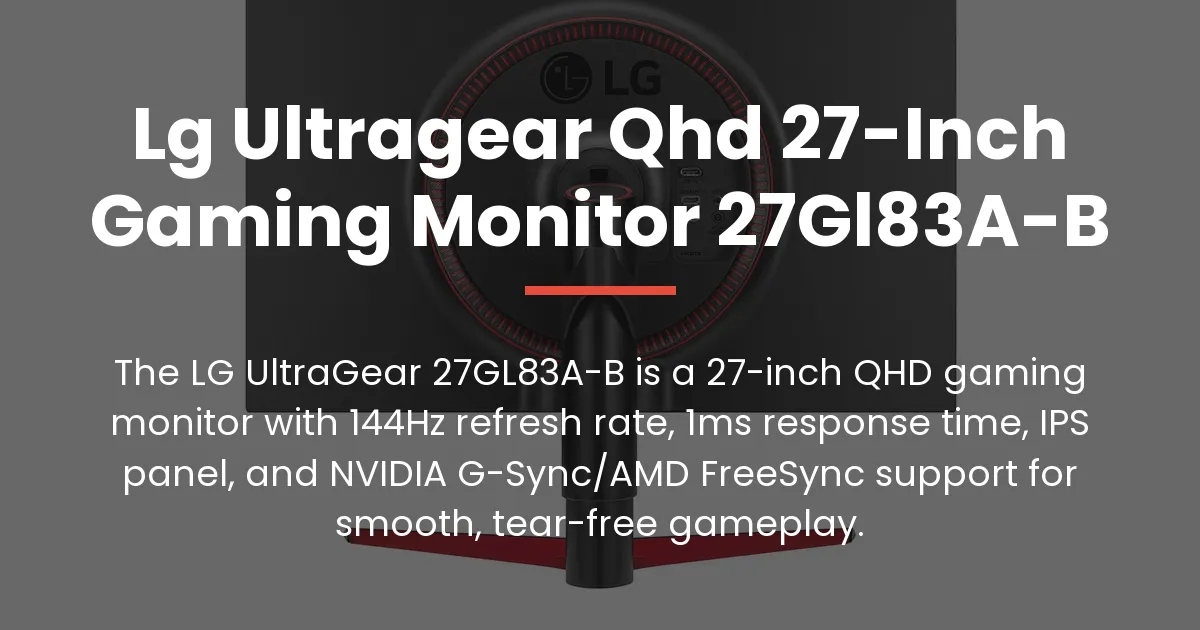
You have landed on the definitive resource for the LG UltraGear QHD 27-inch gaming monitor 27GL83A-B. This guide is crafted for shoppers in the final stage of research, ready to understand every detail before buying. The LG 27GL83A-B is a premium 1440p gaming monitor that delivers exceptional smoothness and responsive gameplay for its price, thanks to its fast IPS panel and wide adaptive sync support, making it a versatile choice for both competitive gaming and general use.
Specifications and Design of the LG 27GL83A-B
Let’s establish the core facts that define this monitor. The centerpiece is a 27-inch In-Plane Switching panel, which is renowned for producing accurate colors and maintaining consistency across wide viewing angles.
This IPS display delivers a Quad High Definition resolution of 2560 by 1440 pixels. You get a significantly sharper image than 1080p, with more screen space for multitasking and immersive gaming landscapes.
A 144Hz refresh rate is the engine for smooth motion. The screen updates 144 times per second, making fast-paced action appear fluid and reducing the blur associated with standard 60Hz displays.
The response time is listed as 1 millisecond Gray-to-Gray. This technical measurement indicates how quickly a pixel can change color, and it is optimized to minimize ghosting in rapid scenes.
For connecting your devices, the monitor provides two HDMI ports and one DisplayPort. The DisplayPort connection is essential for unlocking the full 144Hz potential from a modern gaming PC.
There is also a 3.5mm headphone jack for audio output. The physical design features a three-side virtually borderless look, with minimal bezels on three sides for a sleek, modern appearance on your desk.
Build quality is solid, with a stand that offers full ergonomic adjustments. You can easily tilt, adjust the height, and pivot the screen into portrait orientation to find your perfect comfortable setup.
Decoding the Marketing Specs Versus Reality
Manufacturer specifications can sometimes feel abstract, so let’s translate them into real-world expectations. The celebrated 1ms GtG response time is a best-case scenario achieved under specific test conditions.
In actual gaming, you will experience very low motion blur, which is fantastic for tracking fast-moving targets. However, the difference between this and a good 5ms monitor might be subtle for casual play.
HDR10 compatibility means the monitor can accept and process a high dynamic range signal. Yet, without a high peak brightness or local dimming, the HDR effect is more of a subtle contrast boost than the transformative experience seen on premium TVs.
The 350 nits of brightness is ample for rooms with normal lighting. If your desk is directly opposite a sunny window, you might wish for more, but for most controlled environments, it is perfectly sufficient without causing glare.
Gaming and Picture Performance
This is where the LG 27GL83A-B truly proves its value. The combination of 144Hz and the fast IPS panel creates an incredibly responsive feel in games like first-person shooters and racing simulators.
Movements become buttery smooth, and your own inputs feel instantaneous. This can provide a tangible edge in competitive matches where reaction time is critical.
Adaptive sync technology is a cornerstone feature. With official NVIDIA G-Sync Compatibility and AMD FreeSync support, the monitor matches its refresh rate to your graphics card’s frame rate in real time.
This synergy eliminates screen tearing and minimizes stuttering, creating seamless fluid movement. Whether you own an NVIDIA GeForce or AMD Radeon card, you get a tear-free gaming experience.
Picture quality is excellent for the category. Colors pop with vibrancy thanks to the IPS technology, and viewing angles are so wide that the image barely shifts even when viewed from the side.
The QHD resolution provides a great balance of sharp detail and manageable performance demands on your GPU. Games look crisp, and text in desktop applications is rendered with clean clarity.
Who Should Buy This Monitor
The ideal buyer for this monitor is a PC gamer who values high frame rates and smooth gameplay above all else. If your priority is a responsive experience in titles like Valorant, Call of Duty, or Apex Legends, this monitor is an excellent fit.
It is also perfect for the hybrid user who games intensely but also uses the monitor for work or media consumption. The accurate colors and sharp resolution make it a capable all-rounder.
You should consider other options if absolute color accuracy for professional photo editing is your main goal, as monitors with wider color gamuts exist. Similarly, if you primarily watch HDR movies, a display with better HDR hardware would be preferable.
Long-Term Value and Ecosystem Fit
Even in a market with constant new releases, the LG 27GL83A-B retains its relevance due to its balanced performance. It remains a benchmark for value-oriented 1440p high refresh rate gaming.
For productivity, the ergonomic stand and sharp QHD resolution make long work sessions comfortable. You can have multiple windows open side-by-side without constant zooming or scrolling.
The monitor integrates well into a modern setup with next-gen consoles. Its support for 1440p at 120Hz makes it a great companion for a PlayStation 5 or Xbox Series X, offering a smoother console gaming experience than many standard TVs.
Alternatives and Comparisons
It is wise to look at comparable models before making a final decision. A key competitor is the MSI Optix MAG274QRF-QD, which often trades at a higher price but offers a wider color gamut due to its quantum dot layer.
Within the LG UltraGear family, the 27GL850-B is the direct sibling. The main differences are that the 850-B model includes a USB hub and a slightly wider DCI-P3 color gamut, while the 83A-B focuses on delivering the core gaming experience at a more accessible price point.
Other notable alternatives include the ASUS TUF Gaming VG27AQ and the Dell S2721DGF. These monitors offer similar specs, with variations in stand design, on-screen menus, and color calibration out of the box.
For console gamers, this monitor’s explicit 1440p support is a advantage over some older models that might only correctly identify a 1080p or 4K signal from a PS5 or Xbox Series X.
Setting Up Your LG 27GL83A-B
Proper setup ensures you get the performance you paid for. Begin by using the included DisplayPort cable to connect the monitor to your gaming PC. This cable is necessary to enable the full 144Hz refresh rate and adaptive sync features.
If you are connecting a gaming console, use a high-speed HDMI cable. Turn on the monitor and navigate the on-screen display menu using the joystick control on the back.
For optimal gaming, find the ‘Game Adjust’ settings in the OSD. Here, you should turn on the ‘Adaptive-Sync’ option. This activates the variable refresh rate capability for both NVIDIA and AMD graphics cards.
Next, visit the picture settings. The ‘Gamer 1’ preset is a great starting point, offering balanced color and contrast. You can adjust the brightness to suit your room’s lighting, often setting it between 70 and 80 percent for comfortable long sessions.
On your Windows PC, right-click the desktop and go to ‘Display Settings’. Click ‘Advanced Display Settings’ and set the refresh rate to 144Hz. For NVIDIA GPU owners, open the NVIDIA Control Panel, go to ‘Set up G-SYNC’, and enable it for your monitor.
These steps will unlock the monitor’s full potential, delivering the seamless, high-performance gaming experience it is designed for.
Frequently Asked Questions
Is the LG 27GL83A-B good for PlayStation 5 or Xbox Series X?
Yes, it is an excellent match because it supports the 1440p resolution at a 120Hz refresh rate, which both consoles can output for smoother gameplay in supported titles.
What is the difference between the LG 27GL83A-B and the 27GL850-B?
The 27GL850-B has a wider DCI-P3 color gamut and includes a USB hub on the back, while the 27GL83A-B offers the same core gaming performance without these extras for a lower cost.
Does this monitor come with a DisplayPort cable?
Yes, a DisplayPort cable is included in the box, which is essential for connecting to a PC to use the 144Hz refresh rate and adaptive sync features.
How do I enable 144Hz on the LG UltraGear 27GL83A-B?
Connect your PC using the DisplayPort cable, then go to your computer’s display settings and select 144Hz from the refresh rate dropdown menu in the advanced display properties.
Is the stand on the 27GL83A-B height adjustable?
Yes, the stand provides full height adjustment, along with tilt and pivot functionality, allowing you to position the screen ergonomically.
Can you notice the difference between 1ms and 5ms response time?
In fast competitive games, the 1ms setting can reduce motion blur more effectively, making fast-moving objects slightly clearer, though the difference may be subtle for everyday use.
What are the dimensions and weight of the LG 27GL83A-B monitor?
The monitor without the stand is approximately 24.2 inches wide, 14.4 inches tall, and 2.2 inches deep, weighing about 9.9 pounds. With the stand, the weight is around 12.8 pounds.
Does G-Sync Compatible work with AMD graphics cards?
Yes, the G-Sync Compatible mode on this monitor works seamlessly with AMD graphics cards through the FreeSync protocol, providing variable refresh rate benefits.
Is this monitor prone to backlight bleed or IPS glow?
As with any IPS panel, some IPS glow in the corners is typical, especially in dark rooms, but significant backlight bleed is not a common issue with this model.
Where is the best place to buy the LG 27GL83A-B for warranty support?
Purchasing from major authorized retailers like Amazon or directly from LG ensures you get a valid manufacturer’s warranty and avoid potential issues with suspicious third-party sellers.
The LG UltraGear QHD 27-inch gaming monitor 27GL83A-B stands as a testament to balanced, high-performance design. It successfully bridges the gap between premium smoothness and accessible pricing, making it a enduringly smart choice for gamers. By delivering on its core promises of speed, clarity, and adaptability, it secures its place as a reliable centerpiece for any serious gaming setup.