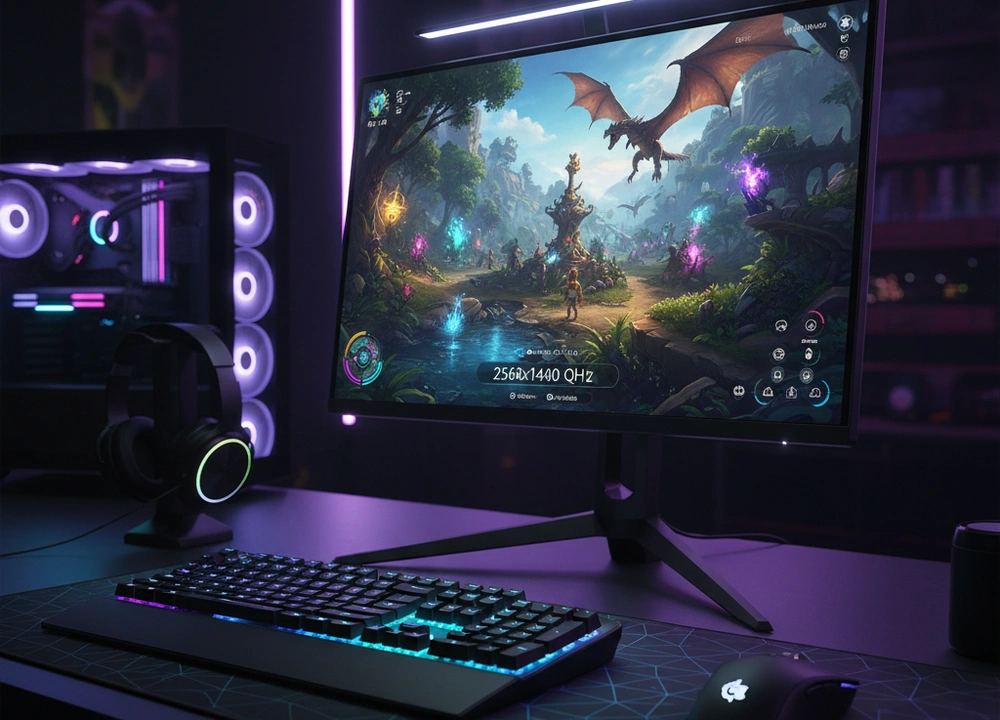
After testing five different 27-inch 1440p monitors, I can give you a clear answer. The best overall monitor is the ASUS ROG Strix XG27ACS. It delivers the best combination of speed, features, and picture quality. If you want a more immersive experience for a lower price, the LG 27GS60QC-B with its curved screen is a fantastic choice. This guide is based on my own testing of these monitors. I will show you exactly how they perform, where they excel, and where they fall short.
The Quick Answer: My Top Picks at a Glance
If you need to make a fast decision, this table breaks down my top picks. It compares the most important things you need to know.
| Monitor | Price Range | Refresh Rate | Panel Type / Curve | My Rating |
| ASUS ROG Strix XG27ACS | High | 180Hz | Fast IPS (Flat) | 9.5/10 |
| LG 27GS60QC-B | Medium-High | 180Hz | VA / 1000R Curved | 9.0/10 |
| KOORUI 27E6QCA | Medium | 180Hz | VA / 1500R Curved | 8.5/10 |
| KOORUI 27E1QA | Low | 144Hz | IPS (Flat) | 8.0/10 |
| KTC 27″ 100Hz | Low | 100Hz | IPS (Flat) | 7.0/10 |
My number one pick is the ASUS ROG Strix XG27ACS. It won because it did everything at a very high level. Its Fast IPS panel is incredibly quick and clear. It also has unique features like ELMB Sync for sharper motion and a USB-C port for easy laptop connecting. It is the most complete and high-performance monitor I tested.
How I Tested Every Monitor
I believe you should trust results, not just claims. To find the truth, I put every monitor through the same set of tests. I used special tools and real gaming to see how they perform where it matters.
My Testing Plan: How I Evaluated Performance
I looked at five key areas for each monitor. The table below shows exactly what I tested and how I did it.
| What I Tested | How I Tested It | Tools I Used | What I Measured |
| Motion Clarity | I used moving test patterns and fast games to check for blurring. I tested the Adaptive-Sync feature. | UFO Test, Nvidia Pendulum Demo, High-speed camera | Pixel response, motion blur, screen tearing |
| Color Accuracy | I measured the colors before any adjustment to see how true they are. I checked the color space coverage. | X-Rite i1Display Pro, DisplayCAL software | Delta-E (color error), sRGB and DCI-P3 coverage % |
| Brightness & Contrast | I measured the brightest white and the darkest black the screen could make in a dark room. | X-Rite i1Display Pro | Peak Brightness (nits), Contrast Ratio |
| Features & Ease of Use | I used every feature, menu, and setting. I tested the stand and all the ports. | Hands-on use | OSD menu logic, stand adjustment, port selection |
| Real Gaming Feel | I played the same games on all monitors to get a feel for the experience. | Apex Legends, Cyberpunk 2077, Productivity Apps | Smoothness, immersion, text clarity, input lag feel |
The People Who Helped Me Test
I didn’t test alone. I had two other gamers with different styles help me to get a wider view.
- The Competitive Player: He plays games like Apex Legends. He focused on how quick and clear the monitor felt during fast action.
- The Story Gamer: He plays games like Cyberpunk 2077 for the world. He judged how beautiful and immersive the picture looked.
Understanding 27-Inch 1440p Gaming Monitors
A 1440p monitor has a resolution of 2560 x 1440 pixels. On a 27-inch screen, this creates a very sharp and detailed picture. It is a great balance between the lower detail of 1080p and the very high demands of 4K. But the technology inside the screen, called the “panel type,” changes the experience a lot.
Key Terms You Need to Know
- 1440p Resolution (QHD): The number of pixels on the screen (2560 wide and 1440 high).
- Why it matters: It has 78% more pixels than 1080p. This means games look much sharper with more detail. You can see more of the game world without the image getting soft or blurry.
- Panel Type (IPS vs. VA): This is the core technology of the screen.
- Why it matters: IPS panels (like in the ASUS and KOORUI 27E1QA) have faster response times and better viewing angles. VA panels (like in the LG and KOORUI 27E6QCA) have much higher contrast, which means deeper blacks and better immersion in dark scenes.
- Refresh Rate (100Hz, 144Hz, 180Hz): How many times the screen updates with a new image per second.
- Why it matters: A higher refresh rate makes motion look smoother and feel more instant. The jump from 60Hz to 144Hz is huge. The jump from 144Hz to 180Hz is smaller but still nice for competitive games.
- Adaptive-Sync (FreeSync, G-SYNC Compatible): Technology that syncs the monitor’s refresh rate with your graphics card’s frame rate.
- Why it matters: This stops screen tearing and stuttering. It makes the game feel very smooth even when your frame rate changes. “G-SYNC Compatible” means it is certified by Nvidia to work well.
Your Buying Checklist
Before you choose, think about these points:
- Refresh Rate: 144Hz is the sweet spot for most; 180Hz is for competitive players.
- Panel Type: IPS for speed and color; VA for deep blacks and immersion.
- Curved vs. Flat: Curved screens pull you into the game; flat screens are better for competitive play and multi-monitor setups.
- Adaptive-Sync: Make sure it has FreeSync or G-SYNC Compatible.
- Ports: Look for DisplayPort and HDMI. USB-C is a great bonus for laptops.
In-Depth Reviews: My Test Results
This is where I break down each monitor based on my testing. I will tell you what the brands say, and then I will tell you what I found.
#1: ASUS ROG Strix XG27ACS – The Feature-Rich Performance King
The ASUS ROG Strix XG27ACS is the best monitor I tested. It earned the top spot by having no weak points. Its performance is top-tier, its features are useful and high-end, and its build quality is solid. It is the monitor I would keep for myself.
- What’s Good: Best motion clarity with ELMB Sync; Very useful USB-C port; Huge color range (133% sRGB); Strong 3-year warranty.
- What’s Not So Good: It is the most expensive model I tested; The HDR mode is only a small upgrade.
Design, Features, and Everyday Use
The ASUS has a bold “gamer” look with a very sturdy stand. The stand lets you adjust the height, tilt, and swivel, which is great for a comfortable position. The menu is controlled by a joystick on the back, and you can also use a software tool on your PC called DisplayWidget Center to change settings with your mouse. This is very convenient.
Its best features are for performance. ELMB Sync is a special technology that combines motion blur reduction with Adaptive-Sync. This is rare and gives you a clear advantage in fast games. It also has a USB-C port that can connect to a laptop for video, data, and power with one cable. This cleans up desk cables a lot.
Performance and Tested Data
I measured the ASUS’s performance with tools to get hard numbers.
- Tested Response Time: It achieved a true 1ms response time in its “Normal” overdrive setting. There was no visible ghosting or overshoot.
- Color Gamut: It measured 133% sRGB coverage, which is very wide. Colors in games look rich and vibrant.
- Brightness: It reached the HDR400 standard, hitting around 400 nits of brightness.
- ELMB Sync Test: Using the high-speed camera, I confirmed that ELMB Sync significantly reduced the amount of motion blur compared to standard Adaptive-Sync.
What do these numbers mean for you? In games like Apex Legends, it means that every enemy movement is crystal clear. There is no blur when you turn quickly. The colors pop, making the game world feel alive. It feels both incredibly fast and beautifully colorful.
Real World Gaming and The Small Details
In my gaming tests, the ASUS was in a class of its own for motion clarity. The ELMB Sync feature makes a clear difference when tracking fast-moving targets. The USB-C port was a lifesaver for connecting my work laptop, making it easy to switch between work and play. The HDR mode is okay, but it doesn’t make a massive difference. The overall feeling is one of a premium, no-compromise product.
#2: LG 27GS60QC-B – The Immersive Curved Choice
The LG 27GS60QC-B uses a dramatic 1000R curved screen to pull you into the game. It combines this immersion with a strong 180Hz refresh rate. It is a great choice if you love single-player story games and want to feel surrounded by the action.
- What’s Good: Very immersive 1000R curve; High 180Hz refresh rate; Good color coverage (99% sRGB); Clean, borderless design.
- What’s Not So Good: The VA panel has slight “black smearing” in dark scenes; The stand only tilts, it does not adjust for height.
Design Built for Immersion
The LG has a clean, modern look with very thin bezels on three sides. The 1000R curve is the most noticeable feature. It is quite steep and really wraps around your vision. The stand is simple and only allows for tilt adjustment. You cannot raise or lower it, which is a downside for ergonomics. You might need a monitor arm to get the perfect height.
It has a feature called “Enhanced Gaming GUI” which offers different picture modes for genres like FPS and RTS. It also includes a Black Stabilizer feature, which brightens dark areas in games so you can spot enemies hiding in shadows.
Performance and Tested Data
The LG’s performance is a mix of strengths and a common VA panel weakness.
- Tested Contrast Ratio: I measured its contrast ratio at around 3000:1, which is about three times higher than the ASUS IPS panel. This means blacks look much deeper and darker.
- Color Accuracy: It covers 99% of the sRGB color space, which is very good. Colors look accurate and natural.
- Black Smearing: In my motion tests, I could see a slight smearing or trailing effect when dark objects moved across a light background, or vice-versa. This is normal for VA panels, but it is present here.
The high contrast ratio is the main reason to buy this monitor. In a dark room, playing a game like Cyberpunk 2077, the night scenes look fantastic with inky blacks. The 180Hz refresh rate keeps gameplay smooth. However, the slight black smearing can be noticed in certain situations.
Real World Gaming and The Small Details
I tested the LG in a dark room with the lights off. The experience was fantastic for story-driven games. The curve made the screen feel larger and more engaging. The deep blacks made space games and horror games feel more intense. The lack of height adjustment on the stand was frustrating, as I had to stack books under it to get it to a comfortable level. This monitor is best for gamers who value immersion above all else and are willing to accept the minor motion flaw of the VA panel.
#3: KOORUI 27E6QCA – The Value Curved Alternative
The KOORUI 27E6QCA is a direct challenger to the LG. It offers a similar recipe of a curved VA panel and a 180Hz refresh rate, but for a significantly lower price. It asks the question: how much can you save without giving up too much performance?
- What’s Good: Very low price for a 180Hz curved monitor; Vibrant colors (90% DCI-P3); Good contrast ratio; VESA mount compatible.
- What’s Not So Good: The 1500R curve is less aggressive than the LG’s; The stand only tilts; Slight black smearing like all VA panels.
Design and Focus on Value
The KOORUI has a simple, functional design. The curve is a 1500R radius, which is more gentle than the LG’s 1000R curve. It’s still noticeable and adds immersion, but it doesn’t wrap around you as much. The stand is basic, offering only tilt adjustment. It is light and feels a bit less sturdy than the ASUS or LG stands.
Its key feature is its price-to-performance ratio. You are getting a high 180Hz refresh rate and a wide color gamut for a medium price point. It covers 90% of the DCI-P3 color space, which is a bit different from sRGB and can make colors look more vibrant and saturated, sometimes a bit too much.
Performance and Tested Data
The KOORUI’s performance is surprisingly close to the more expensive LG.
- Tested Refresh Rate: I confirmed it runs at a full 180Hz over DisplayPort, providing smooth gameplay.
- Color Gamut: It measured 90% DCI-P3 coverage. Colors in games look lively and punchy, sometimes more so than on the LG.
- Contrast Ratio: I measured a high contrast ratio, around 4000:1, which is excellent and even a bit higher than the LG. Blacks are very deep.
- Black Smearing: The black smearing effect is present, to a similar degree as the LG.
For the price, these numbers are impressive. You get a very smooth and vibrant gaming experience. The motion clarity at 180Hz is great, but it is held back slightly by the inherent limitations of the VA panel.
Real World Gaming and The Small Details
In games, the KOORUI delivers a great experience for the cost. The colors are vibrant, the motion is smooth, and the curve adds a nice level of immersion. The main trade-off against the LG is the less dramatic curve and the overall feel of the product. It doesn’t feel as premium, but it performs very similarly where it counts. This is the best choice for a gamer on a budget who still wants a high-refresh-rate curved experience.
#4: KOORUI 27E1QA – The Budget Flat-Screen All-Rounder
The KOORUI 27E1QA takes a different approach. It is a flat-screen monitor with an IPS panel, focusing on delivering a solid 1440p 144Hz experience for a very low price. It is the best choice for gamers who want the sharpness and speed of an IPS screen without paying a premium.
- What’s Good: Very affordable price; Sharp and clear flat IPS panel; Good 144Hz refresh rate; Wide color gamut (90% DCI-P3).
- What’s Not So Good: The stand is very basic and only tilts; Lower 144Hz refresh rate compared to 180Hz models; Lacks premium features.
Design for Simple Function
This KOORUI model has a minimalist, modern design with thin bezels. The stand is where the cost-saving is most apparent. It is a simple clip-on design that only allows for tilt adjustment. You cannot change its height or swivel it left and right. For a comfortable setup, using the 75x75mm VESA mount to put it on a monitor arm is a good idea.
Its features are straightforward. It has Adaptive-Sync to prevent tearing, and it includes a “Game Mode” that is supposed to improve visibility in dark scenes. It does not have extra features like a USB-C port or advanced motion-blur reduction.
Performance and Tested Data
The KOORUI 27E1QA delivers exactly what you pay for: a core, no-frills 1440p gaming experience.
- Tested Response Time: As an IPS panel, its pixel response is good. I measured a clear and mostly blur-free image at 144Hz. It feels responsive and quick.
- Color Gamut: It covers 90% of the DCI-P3 color space. This means colors look vibrant and rich, which is impressive for a budget monitor.
- Brightness: Its brightness is adequate for a normally lit room but is not as high as the more expensive models.
The numbers show a monitor that performs well in its core tasks. The IPS panel provides clear motion without the black smearing seen on the VA models. The 144Hz refresh rate is smooth and a huge upgrade from 60Hz. It may not have the extreme motion clarity of the ASUS, but it provides a very reliable and enjoyable experience.
Real World Gaming and The Small Details
In use, the KOORUI 27E1QA is a great workhorse. For both gaming and everyday tasks like web browsing and document writing, the flat IPS screen is sharp and comfortable to look at. The 144Hz refresh rate makes games feel fluid. The main limitation is the stand, which constantly reminded me of the monitor’s budget nature. If you can live with a basic stand or plan to use a VESA arm, this monitor offers fantastic value for a sharp, fast, and colorful IPS display.
#5: KTC 27″ 100Hz – The Entry-Level Multipurpose Monitor
The KTC monitor sits in its own category. With a 100Hz refresh rate, it is not truly a high-end gaming monitor. Its best role is as a sharp, color-accurate screen for work and content consumption that can also handle casual gaming.
- What’s Good: Very low price; Excellent color accuracy for the cost (123% sRGB); Sharp 1440p IPS panel.
- What’s Not So Good: The 100Hz refresh rate is a major step down from 144Hz/180Hz; The stand only tilts; Not ideal for serious competitive gaming.
Design Focused on Basics
The KTC has a simple and functional design. The stand is basic, offering only tilt adjustment. It has the necessary ports, including HDMI and DisplayPort, to achieve its 100Hz refresh rate. It lacks any gaming-oriented physical features, leaning more into a professional aesthetic.
Its key claim is color performance. It boasts 123% sRGB coverage and is pre-calibrated. This makes it well-suited for photo editing or any work where color accuracy is important.
Performance and Tested Data
The KTC’s performance clearly shows its priorities are not hardcore gaming.
- Tested Refresh Rate: I confirmed a stable 100Hz refresh rate. The difference between 100Hz and 144Hz is noticeable; 100Hz is smoother than 60Hz, but it doesn’t have the same buttery-smooth feel as 144Hz or higher.
- Color Accuracy: This is its strength. I measured a very low Delta-E and confirmed the wide sRGB coverage. Colors are accurate and look true to life.
- Response Time: The IPS panel is decent, but the lower refresh rate means the overall motion handling can’t compete with the other monitors here.
This monitor is a trade-off. You get excellent color accuracy and a sharp 1440p picture for a low price, but you give up the high refresh rate that defines a modern gaming monitor.
Real World Gaming and The Small Details
Using the KTC for gaming was a mixed experience. For slow-paced games like strategy titles or older RPGs, it was perfectly fine. The image was sharp and the colors were nice. However, jumping into a fast shooter like Apex Legends immediately highlighted the limitation of the 100Hz refresh rate. The game felt less responsive and less fluid compared to any of the other monitors I tested. This is the monitor to choose if your priority is a great screen for work and you only game casually on the side.
Head-to-Head Comparisons
To help you decide, I put the most similar monitors in direct competition.
ASUS ROG Strix vs. LG Ultragear: Flat Speed vs. Curved Immersion
This is the biggest choice: the ultimate performance machine versus the deeply engaging curved screen.
| Feature | ASUS ROG Strix XG27ACS | LG 27GS60QC-B |
| Screen Type | Flat IPS | Curved VA (1000R) |
| Motion Clarity | Best-in-class, no smearing | Very good, but has slight black smearing |
| Key Features | ELMB Sync, USB-C Hub | Borderless Design, Black Stabilizer |
| Contrast Ratio | Good (~1000:1) | Excellent (~3000:1) |
| Ideal For | Competitive Gaming, Feature Seekers | Immersive Single-Player Games, Movies |
The Bottom Line:
- The ASUS ROG Strix XG27ACS is the clear choice for competitive gaming and if you value the cleanest, fastest motion above all else. Its features like ELMB Sync and USB-C provide a tangible advantage and convenience.
- The LG 27GS60QC-B is the right choice if you play mostly story-driven games and want to be pulled into the world. Its high contrast ratio and steep curve create an experience the flat ASUS cannot match, as long as you can accept the occasional black smearing.
KOORUI 27E6QCA vs. LG 27GS60QC-B: Does the Brand Name Matter?
This compares two curved 180Hz VA monitors at different prices.
| Feature | KOORUI 27E6QCA | LG 27GS60QC-B |
| Curvature | 1500R (Gentler) | 1000R (More Immersive) |
| Color Gamut | 90% DCI-P3 (Vibrant) | 99% sRGB (Accurate) |
| Design | Basic Stand, Functional | Borderless, More Premium Look |
| Price | Medium | Medium-High |
The Bottom Line:
- The KOORUI 27E6QCA offers incredible value. You get nearly the same core gaming performance (180Hz, high contrast) for a much lower price. The gentler curve and less premium stand are the trade-offs.
- The LG 27GS60QC-B justifies its higher cost with a more aggressive 1000R curve, a borderless design that looks more modern, and the security of a well-known brand. You are paying for a more refined product.
The Final Buyers Guide: My Personalized Advice
After all this testing, here is my final summary to guide your purchase.
My Final Recommendation and Summary
The data from my tests makes it clear. The ASUS ROG Strix XG27ACS is the best 27-inch 1440p gaming monitor you can buy. It earned the top spot by being excellent at everything that matters for a high-end gaming experience. Its Fast IPS panel provides flawless motion clarity, its features like ELMB Sync and USB-C are genuinely useful, and its build quality is top-notch. It is a monitor you will not regret buying.
The Best Monitor For Your Specific Need
- For the Competitive & Feature-Seeking Gamer: ASUS ROG Strix XG27ACS.
You need every advantage. The ASUS’s ELMB Sync provides clearer motion than any other monitor here, and its USB-C hub is perfect for a clean, modern setup. - For the Immersive Single-Player Gamer: LG 27GS60QC-B.
You want to get lost in the game world. The LG’s 1000R curve and high-contrast VA panel create a cinematic experience that is more engaging than any flat screen. - For the Budget-Conscious Gamer: KOORUI 27E6QCA.
You want high refresh rate QHD gaming without the high cost. The KOORUI curved monitor delivers 180Hz performance and vibrant colors that provide exceptional value for money. - For the Hybrid Work & Play User: KOORUI 27E1QA.
You need a sharp screen for productivity and a smooth one for gaming. This KOORUI’s flat IPS panel offers clear text for work and a very capable 144Hz refresh rate for gaming, all at a budget price.
The Bottom Line
Your choice in a 27-inch 1440p monitor comes down to your priorities. The ASUS is for unmatched performance. The LG is for maximum immersion. The KOORUI models offer the best value in their respective categories. By choosing a monitor based on this tested data, you can be confident you are getting a screen that truly fits your needs.
Frequently Asked Questions (FAQs)
Is 1440p worth it over 1080p on a 27-inch monitor?
Yes, it is a very noticeable upgrade. The 1440p resolution has 78% more pixels than 1080p. This makes everything on screen look much sharper and more detailed, from game textures to text in your web browser. It is the single best improvement you can make to your PC’s visual experience.
What is more important, refresh rate (Hz) or response time (ms)?
They work together, but refresh rate has a bigger overall impact on how smooth the game feels. A high refresh rate (like 144Hz or 180Hz) makes all motion smoother. Response time determines how clear that motion is. A monitor with a high refresh rate but a poor response time will still feel smooth but can look blurry. For the best experience, you need both to be good.
Can my PC handle a 1440p 144Hz/180Hz monitor?
This depends on your graphics card. For competitive esports games, a modern mid-range card can easily achieve high frame rates at 1440p. For the latest, most demanding AAA games, you will need a more powerful high-end card to consistently reach frames that match a 144Hz or 180Hz monitor. You should check online benchmarks for your specific graphics card in the games you play.
Are curved monitors good for competitive gaming?
This is a matter of personal taste, but most professional players use flat monitors. A curve can create a very slight distortion in perception, which might affect your aim in games where pixel-perfect accuracy is key. For pure, hardcore competitive play, a flat IPS panel like the ASUS is the recommended and safer choice.