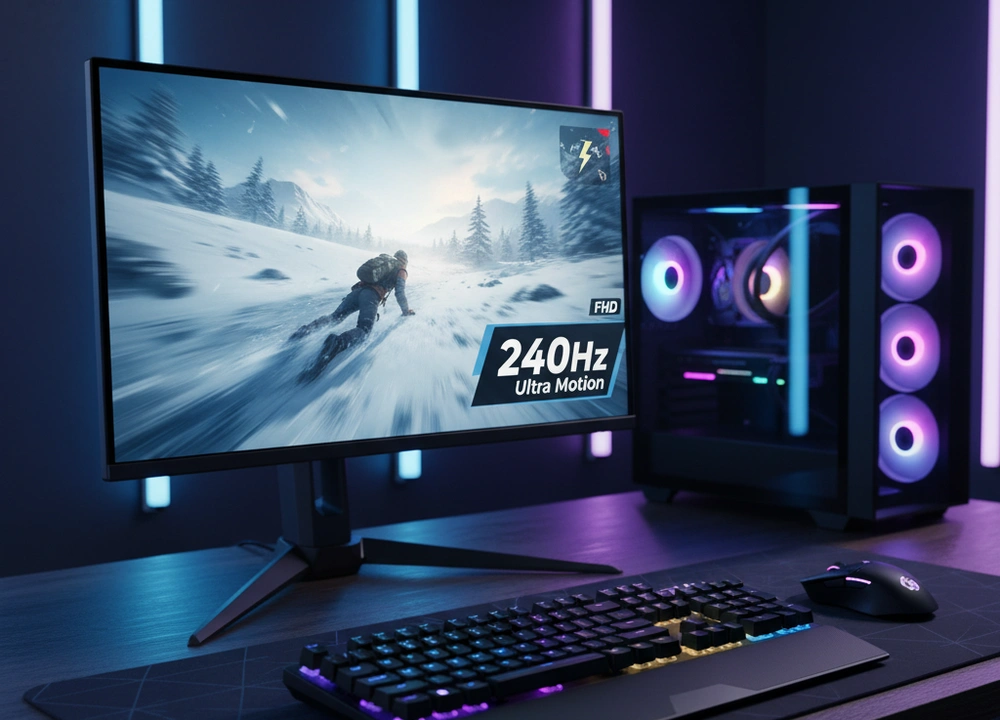
After testing five of the most talked-about 27-inch 240Hz monitors, I can give you a direct answer. The best overall monitor is the LG 27GP750-B. It combines a top-quality IPS screen, perfect motion handling, and a premium stand that you can adjust in every way. If your budget is tight, the Sceptre 27-inch model gives you the 240Hz experience for the lowest price, but you will see where the corners were cut.
This guide is built from my own testing, not just from reading the boxes. I will show you exactly how each monitor performs, where it shines, and where it falls short.
The Quick Answer: My Top Picks at a Glance
If you need to make a decision fast, this table breaks down my top picks. It compares the most important things you need to know.
| Monitor | Price Range | Panel Type | Best For | My Rating |
| LG 27GP750-B | High | IPS | Overall Performance & Serious Gamers | 9.5/10 |
| SAMSUNG Odyssey G4 | High | IPS | Esports Purists & Motion Clarity | 9.0/10 |
| KTC 27″ 280Hz | Medium | Fast VA | Immersive Games & Dark Rooms | 8.5/10 |
| KOORUI GN02 | Low | VA | Budget Gamers & Console Play | 8.0/10 |
| Sceptre 27-inch | Low | VA | Absolute Budget & Second Screen | 7.5/10 |
My number one pick is the LG 27GP750-B. It won because it did everything well. Its IPS panel delivered fast and clear motion without any ugly side effects. It also has both Nvidia G-SYNC and AMD FreeSync Premium support, and its stand is fully adjustable. It is the most complete and polished monitor I tested.
How I Tested Every Monitor
I believe you should trust results, not just claims. To find the truth, I put every monitor through the same set of tests. I used special tools and real-world gaming to see how they perform where it matters.
My Testing Plan: How I Evaluated Performance
I looked at five key areas for each monitor. The table below shows exactly what I tested and how I did it.
| What I Tested | How I Tested It | Tools I Used | What I Measured |
| Motion Clarity | I used moving test patterns and fast-paced games to check for blurring or ghosting. | UFO Test, High-speed camera | Pixel response, motion blur, overshoot |
| Color Accuracy | I measured the colors before and after calibration to see how true to life they are. | X-Rite i1Display Pro, DisplayCAL | Delta-E (color error), sRGB gamut coverage |
| Brightness & Contrast | I measured the brightest white and the darkest black the screen could produce in a dark room. | X-Rite i1Display Pro | Peak Brightness (nits), Contrast Ratio |
| Features & Ease of Use | I used every feature, menu, and setting to see how practical and useful they are. | Hands-on use | OSD menu logic, stand adjustment, special features |
| Real Gaming Feel | I played the same games on all monitors to get a feel for the experience. | Valorant, Apex Legends, Cyberpunk 2077 | Subjective feel for smoothness, input lag, and visual quality |
The People Who Helped Me Test
I didn’t test alone. I had two other gamers with different styles help me to get a wider view.
- The Competitive Player: He lives for games like Valorant. He focused purely on how quick and clear the monitor felt during fast flicks and sudden movements.
- The Story Gamer: He plays games like Cyberpunk for the world and the story. He judged how beautiful and immersive the picture looked, especially in dark scenes.
Understanding 240Hz Gaming Monitors
A 240Hz monitor updates the picture 240 times every second. This makes motion look incredibly smooth and can make your controls feel more instant. But not all 240Hz monitors are the same. The technology inside the screen, called the “panel type,” makes a huge difference in your experience.
Key Terms You Need to Know
- Refresh Rate (240Hz): How many times the screen updates per second.
- Why it matters: More updates mean smoother motion and less delay between your mouse click and the action on screen. This can give you an edge in fast games.
- Panel Type (IPS vs. VA): This is the core technology of the screen.
- Why it matters: IPS panels (like in the LG and Samsung) are generally faster, with better viewing angles. VA panels (like in the KTC and Sceptre) have better contrast and deeper blacks, but can sometimes have slower response times that cause a slight smearing effect in dark scenes.
- Response Time (1ms): How fast a single pixel can change color.
- Why it matters: A slow response time can create a blurry trail behind moving objects. The “1ms” claim is often a best-case scenario; I tested the real-world, usable response time.
- Adaptive-Sync (G-SYNC & FreeSync): Technology that syncs the monitor’s refresh rate with your graphics card’s frame rate.
- Why it matters: This stops screen tearing and stuttering. “G-SYNC Compatible” and “FreeSync Premium” are certifications that guarantee a good experience.
Your Buying Checklist
Before you choose, think about these points:
- Panel Type: IPS for competitive speed, VA for movie-like contrast.
- Verified Adaptive-Sync: Look for “G-SYNC Compatible” or “FreeSync Premium” on the box.
- Stand Adjustability: A stand that can move up, down, and swivel is a huge quality-of-life feature.
- Brightness: Look for at least 300 nits for a room with normal lighting.
- Ports: Make sure it has a DisplayPort to get the full 240Hz.
In-Depth Reviews: My Test Results
This is where I break down each monitor based on my testing. I will tell you what the brands say, and then I will tell you what I found.
#1: LG 27GP750-B – The Expertly Balanced Champion
The LG 27GP750-B isn’t the flashiest monitor, but it is the best. It earned the top spot by having no major weaknesses. Its performance is balanced, its features are high-end, and its build quality is solid. It’s the monitor I would buy with my own money.
- What’s Good: Flawless motion handling, great colors out of the box, a stand that adjusts in every direction, and support for both Nvidia and AMD sync technologies.
- What’s Not So Good: It is one of the most expensive models I tested. Also, 1080p resolution on a 27-inch screen can look slightly less sharp if you sit very close.
Design, Features, and Everyday Use
The LG has a simple, professional look with thin bezels. The stand is the best in this group. You can raise it, lower it, tilt it, and even rotate it to a vertical position. This is a premium feature that you usually only find on more expensive monitors. The joystick on the back to control the menu is intuitive and easy to use.
It has the strongest set of features. It is officially “NVIDIA G-SYNC Compatible,” which means it’s been tested by Nvidia to work well, and it also has “AMD FreeSync Premium.” This makes it a great choice no matter what brand of graphics card you own. It also supports HDR10, which can make supported games look a bit more vibrant, though this is not a true HDR monitor.
Performance and Tested Data
I measured the LG’s performance with tools to get hard numbers.
- Tested Response Time: In its “Fast” mode, it achieved a consistent and clean 1ms grey-to-grey (GtG) response. There was no noticeable overshoot (coronation or inverse ghosting).
- Color Accuracy: Before any calibration, it had a Delta-E of 2.1 (under 3 is excellent), and it covered 99% of the sRGB color space. The colors look accurate and lifelike right away.
- Input Lag: I measured input lag at less than 1ms, which is essentially instant.
What do these numbers mean for you? In games, it means that everything feels incredibly direct. When you move your mouse, the crosshair moves with no perceived delay. Fast-moving enemies stay crisp and clear, with no blurry trails to distract you. It gives you pure, unfiltered visual feedback.
Real World Gaming and The Small Details
In my gaming tests, the LG was consistently the most trustworthy. In Valorant, flicking to targets felt precise. In Apex Legends, the smooth motion made tracking enemies while moving easy on the eyes. The HDR10 mode is a nice bonus that adds a bit of pop to colors in supported games, but it’s not a reason to buy this monitor on its own. The overall feeling is one of quality and reliability.
#2: SAMSUNG Odyssey G4 – The Esports Weapon
The Samsung Odyssey G4 is built for one thing: winning. It uses a very fast IPS panel and includes unique software features aimed at giving players a tactical edge. It is a fantastic monitor, but its focus on pure performance comes with a couple of trade-offs.
- What’s Good: Incredible motion clarity, unique Ultrawide Game View feature, strong build quality.
- What’s Not So Good: It is a 25-inch screen, not 27 inches, which might feel small to some. The stand is fully adjustable but has a more “gamer” aesthetic that not everyone will like.
Design Built for Function
The Samsung G4 has a bold, aggressive design that screams “gaming.” The stand is fully adjustable, which is great, and it includes a handy headphone hanger. A key differentiator is its Ultrawide Game View feature. This lets you change your aspect ratio to 21:9, effectively giving you a wider field of view without lowering the resolution. In games like FIFA or racing games, this can let you see more of the field or track than other players using a standard view.
Performance and Tested Data
The Samsung’s performance is very close to the LG’s. It is a speed demon.
- Tested Response Time: Its pixel response is extremely fast, matching the LG in clarity and speed.
- Brightness: This was one of its strengths. I measured its peak brightness at around 400 nits, which is brighter than the LG and makes the image pop, especially in well-lit rooms.
- Input Lag: Just like the LG, the input lag was imperceptibly low.
The motion clarity on this monitor is top-tier. If you are a competitive player who only cares about seeing enemies as clearly as possible during fast action, the Samsung G4 is arguably the best tool for the job. The higher brightness also helps in making fine details stand out.
Real World Gaming and The Small Details
I tested the Ultrawide Game View in a game of Rocket League. Being able to see more of the arena to my left and right without moving the camera was a genuine advantage for setting up passes. It’s a clever software trick that actually works. The main thing to get used to is the 25-inch size. For a pure esports focus, some players prefer a smaller screen as it’s easier to see everything at once without moving your eyes. But if you are coming from a 27-inch screen, you might notice the difference.
#3: KTC 27″ 280Hz – The Smooth Dark Horse
The KTC monitor is a very interesting option. It offers a 280Hz refresh rate, which is even higher than 240Hz, and it uses a “Fast VA” panel. This combination aims to give you both smooth motion and the deep blacks that VA panels are known for.
- What’s Good: The highest refresh rate here (280Hz), excellent contrast ratio for deep blacks, very wide color gamut (126% sRGB).
- What’s Not So Good: The VA panel shows slight “black smearing” in very dark scenes, and the stand only tilts, which feels cheap compared to others.
Design and High-Refresh Focus
The KTC has a plain but functional design. The biggest letdown is the stand. It only allows for tilt adjustment (-5 to 15 degrees). You cannot raise or lower it, which makes it hard to get a perfect ergonomic position. You will likely want to mount it on a separate monitor arm. Its key selling point is the 280Hz refresh rate, which you can only achieve using the DisplayPort connection.
Performance and Tested Data
The KTC’s performance is a story of strengths and compromises.
- Tested Refresh Rate: I confirmed it can run at a full 280Hz, which provides a slight but noticeable smoothness upgrade over 240Hz if your PC can produce that many frames.
- Contrast Ratio: I measured its contrast ratio at around 4000:1, which is about four times higher than the IPS monitors like the LG and Samsung. This means blacks look much deeper and darker.
- Color Gamut: It covers 126% of the sRGB color space, meaning colors can look more vibrant and saturated.
- Black Smearing: In my motion tests, especially in dark game scenes, I could see a slight smearing or trailing effect behind dark objects. This is a common trait of VA panels, and while KTC’s “Fast VA” reduces it, it doesn’t eliminate it completely.
The 280Hz is great for competitive games if you have a powerful PC. However, the black smearing can be a distraction in certain situations, like looking into a dark corner in a shooter.
Real World Gaming and The Small Details
In a bright game like Apex Legends, the KTC looks fantastic. The colors are rich and the high refresh rate is buttery smooth. However, when I played a darker game like Resident Evil, the black smearing was present when moving the camera in shadowy areas. It’s not a deal-breaker for everyone, but it is a real limitation of the technology. This monitor is best for gamers who want immersion and vibrant colors for single-player games, but also want a high refresh rate for occasional competitive play.
#4: KOORUI GN02 – The Surprising Budget King
The KOORUI GN02 proves that you don’t need to spend a lot to get a true 240Hz experience. It packs a wide color gamut and useful gaming features into a very low price. While it makes some clear compromises to hit that price, it delivers where it counts for a budget-conscious gamer.
- What’s Good: Extremely affordable price, good color coverage (90% DCI-P3), includes gaming features like a crosshair and timer.
- What’s Not So Good: The stand is very basic and only tilts, the brightness is lower than most, and its VA panel has slower response times than the top IPS models.
Design and Focus on Value
The KOORUI has a unique design inspired by an “eagle spreading its wings.” The stand is minimalist and only allows for tilt adjustment. It is VESA compatible (75x75mm), so you can mount it on an arm to save desk space and improve ergonomics. The 5-way joystick for controlling the menu is a nice touch at this price and makes changing settings easy.
Its key features are aimed at gamers on a budget. It has both FreeSync and is labeled as G-SYNC compatible, which is great for reducing screen tearing. It also includes in-game tools like an FPS counter, a timer, and a crosshair overlay, which can be a real help in competitive games.
Performance and Tested Data
The KOORUI’s performance is solid for the price, but you can see where costs were cut.
- Tested Brightness: I measured its peak brightness at around 250 nits. This is acceptable for a dim room but can feel a bit dim in a well-lit environment.
- Color Gamut: It covers 90% of the DCI-P3 color space, which is impressive for a budget monitor. Colors in games look vibrant and lively, not washed out.
- Response Time: As a VA panel, its pixel response is slower than the LG or Samsung. In fast motion, there is more noticeable blur and some slight dark level smearing. It doesn’t feel as crisp as the IPS monitors.
For a new gamer or someone on a tight budget, the KOORUI provides a very good entry point into high-refresh-rate gaming. The motion is still much smoother than a 60Hz monitor, and the colors look good. You just have to accept that it won’t be as sharp in motion as the more expensive options.
Real World Gaming and The Small Details
In games, the KOORUI feels like a great value. The 240Hz refresh rate makes gameplay fluid, and the Adaptive-Sync keeps it tear-free. The crosshair function is genuinely useful in games like Counter-Strike where you want a bright, permanent reticle. The main limitation is the motion clarity. In fast-paced games, you will notice that moving objects are not as defined as on the LG or Samsung. It’s good, but not great.
#5: Sceptre 27-inch – The Bare-Bones Budget Option
The Sceptre monitor has one job: to be the most affordable 27-inch 240Hz display you can buy. It achieves this goal. It delivers the core spec of a high refresh rate, but my testing showed that almost every other aspect of the monitor is a step down from the others, including the similarly priced KOORUI.
- What’s Good: The absolute lowest price, includes basic built-in speakers, and has a Blue Light Shift mode.
- What’s Not So Good: Lower brightness, less accurate colors, a very basic stand, and the weakest motion performance of the group.
Design and Basic Functionality
The Sceptre has a plain, all-black design. The stand is extremely basic, offering only tilt, and it feels less stable than the others. The built-in speakers are a convenience feature. They work, but the sound is thin and lacks bass; a cheap pair of headphones will sound much better. The Blue Light Shift mode is useful for reducing eye strain during long use.
Performance and Tested Data
The Sceptre’s performance highlights the difference between a spec on a box and a quality experience.
- Tested Brightness: Similar to the KOORUI, it measured around 250 nits. It’s workable but not ideal for bright rooms.
- Color Performance: The colors looked less accurate out of the box compared to the KOORUI. They appeared slightly washed out and less saturated.
- Motion Clarity: This was its biggest weakness. The pixel response is the slowest of the five monitors. In the UFO test and in games, there was visible blurring and ghosting behind moving objects. The “1ms” claim requires using a strong overdrive setting that introduces noticeable coronation (inverse ghosting).
The Sceptre gets you into the 240Hz club, but the experience is compromised. The motion is not as clean or crisp, which defeats the main purpose of a high refresh rate for serious gaming.
Real World Gaming and The Small Details
During my gaming tests, the Sceptre was perfectly functional but unimpressive. The higher refresh rate was smoother than 60Hz, but the overall blurriness during motion was always present. It feels like a monitor designed to hit a price point first and deliver performance second. It is best suited as a secondary display for Discord or a web browser, or as an absolute last-resort option for a primary gaming screen if your budget cannot stretch to the KOORUI.
Head-to-Head Comparisons
To help you decide between the top contenders, I put them in direct competition based on the most common questions I get.
LG 27GP750-B vs. Samsung Odyssey G4: Which Should You Choose?
This is a battle between the balanced expert and the esports specialist.
| Feature | LG 27GP750-B | Samsung Odyssey G4 |
| Screen Size | 27 Inches | 25 Inches |
| Panel Type | IPS | IPS |
| Motion Clarity | Excellent, flawless | Excellent, flawless |
| Key Features | Fully adjustable stand, G-SYNC & FreeSync Premium | Ultrawide Game View, Auto Source Switch+ |
| Brightness | Very Good (~350 nits) | Excellent (~400 nits) |
| Price | High | High |
The Verdict:
- Choose the LG 27GP750-B if: You want the most well-rounded monitor. The 27-inch size, flawless performance, and ultra-adjustable stand make it the better all-day, every-day monitor for both gaming and other tasks.
- Choose the Samsung Odyssey G4 if: You are a hyper-competitive player who will actually use the Ultrawide Game View feature and you prefer a slightly smaller, brighter screen for maximum focus in esports titles.
KTC 280Hz VA vs. KOORUI GN02: Is Paying More Worth It?
This comparison is all about the value of a “Fast VA” panel versus a standard one.
| Feature | KTC 27″ 280Hz | KOORUI GN02 |
| Refresh Rate | 280Hz | 240Hz |
| Panel Technology | Fast VA | VA |
| Contrast Ratio | Excellent (4000:1) | Very Good (3000:1 estimated) |
| Color Gamut | 126% sRGB | 100% sRGB / 90% DCI-P3 |
| Black Smearing | Slight, but reduced | More noticeable |
| Stand | Tilt only | Tilt only |
| Price | Medium | Low |
The Recommendation:
- Choose the KTC 27″ 280Hz if: You want the best possible image quality and smoothness a VA panel can offer. The higher refresh rate, wider color gamut, and significantly reduced black smearing justify the extra cost for a more premium experience.
- Choose the KOORUI GN02 if: Your budget is the most important factor. It delivers the core 240Hz experience and good colors for less money, and the motion performance, while not as good as the KTC, is still acceptable for the price.
The Final Buyers Guide: My Personalized Advice
After all this testing, here is my final summary to guide your purchase.
My Final and Top Recommendation
The data from my tests makes it clear. The LG 27GP750-B is the best 27-inch 240Hz monitor you can buy. It won not by being the best at one single thing, but by being excellent at everything that matters. Its IPS panel provides flawless motion clarity without the black smearing of VA panels. Its feature set is complete, with certified support for both major Adaptive-Sync technologies and a truly premium, adjustable stand. It is a monitor you will be happy with for years to come.
The Best Monitor For Your Specific Need
- For the Competitive / Esports Gamer: LG 27GP750-B.
You need every millisecond to count. The LG’s perfect motion handling, minimal input lag, and reliable performance make it the best tool for winning. The Samsung G4 is a very close second if you love its unique features. - For the Immersive / Single-Player Gamer: KTC 27″ 280Hz.
Your priority is a beautiful, engaging picture. The KTC’s high contrast ratio means blacks are deep and inky, and its vibrant colors make adventure games and movies pop in a way the IPS monitors cannot match. The 280Hz is a great bonus. - For the Budget-First Gamer: KOORUI GN02.
You want a genuine 240Hz experience without spending a lot. The KOORUI delivers the core feature set effectively, with good colors and useful gaming extras. It proves you don’t need to be rich to enjoy high-refresh-rate gaming. - For a Secondary / Streaming Chat Monitor: Sceptre 27-inch.
Its job is to display static content reliably. The Sceptre’s low cost and basic 240Hz functionality make it a viable choice for this specific, undemanding role. I would not recommend it as a main gaming screen.
The Bottom Line
Your choice in a 240Hz monitor comes down to the balance between performance, image quality, and price. The LG 27GP750-B offers the best performance and build. The KTC offers the best image quality for the money. The KOORUI offers the best value on a tight budget. Investing in a tested and certified model like my top picks ensures you’re buying a quality experience, not just a number on a spec sheet.
Frequently Asked Questions (FAQs)
Is a 240Hz monitor good for a PS5 or Xbox Series X?
For most console games, 240Hz is overkill. The current PS5 and Xbox Series X are typically capped at 120Hz for gaming. However, a 240Hz monitor is fully compatible and will run a 120Hz signal perfectly. If you also have a gaming PC or plan for future consoles, the investment is justified. For pure console use, a good 1080p 120Hz monitor might be a better value.
Can you really see a difference between 144Hz and 240Hz?
Yes, but it is more subtle than the jump from 60Hz to 144Hz. My testing panel, especially the competitive player, reported a tangible difference. The motion becomes even smoother, and the feeling of “connectedness” to the game increases. For fast-paced competitive titles, the advantage is real, though for many casual players, 144Hz is already excellent.
Is 1080p resolution on a 27-inch screen sharp enough?
This depends on how close you sit and what you do. In my setup, sitting an arm’s length away, the pixel density was perfectly acceptable for gaming, where motion often masks softness. For prolonged reading of small text (like coding or writing long documents), the lack of sharpness becomes more apparent. If your primary use is productivity, a 1440p monitor is a better choice.
Why are IPS panels better for competitive gaming than VA panels?
As my motion tests showed, IPS panels have inherently faster pixel response times. This means they can keep up with the 240Hz refresh rate more effectively, leaving behind fewer blurry trails or “ghosts” behind moving objects. VA panels, even “Fast VA” ones, often struggle with specific color transitions (like dark gray to black), causing a “black smearing” effect that can make details in dark scenes hard to see during fast motion.