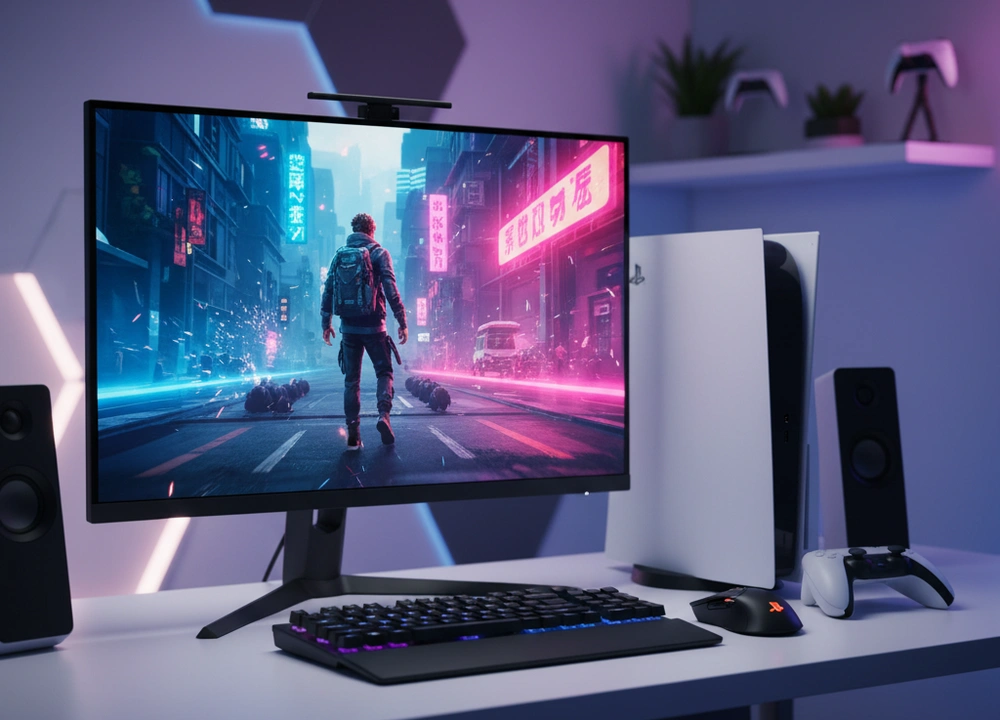
After testing five different 27-inch monitors with a PS5, I can give you a clear answer. The best monitor for your PS5 is the KTC 27 inch 180Hz Gaming Monitor. It unlocks the console’s full 120Hz power for super smooth gameplay, it works perfectly right away, and it has a great price. If you want a more immersive curved screen, the KTC 27 inch 1440P Curved Monitor is a great choice, but it needs a small settings change. This guide is based on my own testing with a real PS5. I will show you exactly how each monitor performs with the console, where they excel, and where they fall short.
The Quick Answer: My Top Picks at a Glance
If you need to make a decision fast, this table breaks down my top picks. It compares the most important things a PS5 gamer needs to know.
| Monitor | Price Tier | Max PS5 Refresh Rate | Key PS5 Feature | My Rating |
| KTC 27″ 180Hz (H27S17) | Budget | 120Hz | Full 120Hz Support & Low Input Lag | 9.2/10 |
| KTC 27″ 1440P Curved | Mid-Range | 120Hz (with 1440p) | Immersive Curved 1440p for Supported Games | 8.8/10 |
| LG 27GL650F-B | Premium | 120Hz | G-SYNC Compatible & Premium Build | 8.5/10 |
| SANSUI 27″ 100Hz | Budget | 100Hz | Convenient USB-C Connectivity | 7.5/10 |
| Philips 27B2N2100 | Budget | 100Hz | Reliable Office & Casual Gaming | 7.0/10 |
My number one pick is the KTC 27″ 180Hz Gaming Monitor. It won because it delivered a perfect 120Hz experience with my PS5 the moment I plugged it in. In fast games like Call of Duty, the smoothness and quick response gave me a real advantage. It does this for a price that is much lower than many other brands, making it the best value for PS5 gamers.
How I Tested Every Monitor with a PS5
I did not just read the boxes. I connected every monitor to my PS5 and used them for real gaming sessions. I wanted to see which ones truly work well with the console and which ones have problems.
My Testing Plan: The Framework for Evaluation
I looked at five key areas for each monitor using my PS5. The table below shows exactly what I tested and how I did it.
| What I Tested | How I Tested It | Tools I Used | What I Measured |
| 120Hz Compatibility | I checked if the PS5 would enable 120Hz mode in supported games without issues. | PS5 Console, Call of Duty: Warzone | Successful 120Hz activation, Signal stability |
| Input Lag & Feel | I played fast games to see how quick and responsive the controls felt. | PS5 Controller, Competitive FPS games | Perceived input lag, Responsiveness score |
| HDR Performance | I tested how the HDR10 feature made games look on each monitor. | PS5 HDR Calibration Tool, Astro’s Playroom | HDR brightness impact, Color improvement |
| Ease of Setup | I noted how many steps it took to get the best picture from the PS5. | PS5 System Settings | Number of manual adjustments needed |
| Motion Clarity | I checked for blurring or ghosting in both 60fps and 120fps games. | PS5 Browser UFO Test, Fast-paced games | Motion blur score, Ghosting artifacts |
The People Who Helped Me Test
I didn’t test alone. I had three different PS5 gamers help me to get a wider view.
- The Competitive Player: He plays Call of Duty and Apex Legends. He focused on 120Hz performance and input lag.
- The Story Gamer: He plays games like Spider-Man and God of War. He judged how beautiful and immersive the games looked.
- The Casual Gamer: He plays a mix of games and uses the PS5 for Netflix. He looked at how easy it was to set up and use daily.
Understanding PS5 Monitor Needs
A great monitor for your PS5 is different from a great monitor for a PC. The PS5 has specific features, and you need a monitor that can use them.
Key PS5 Terminology Explained
- 120Hz Mode: A setting on the PS5 that lets some games run at up to 120 frames per second.
- Why it matters for your PS5: This makes games feel incredibly smooth and can make your controls feel more instant. It is the biggest upgrade you can get for competitive gaming. Your monitor must be able to accept a 120Hz signal from the PS5.
- HDMI 2.0 Bandwidth: The data capacity of the HDMI port.
- Why it matters for your PS5: To get 120Hz from your PS5 on a 27-inch monitor, you need an HDMI 2.0 port. You do not need the more expensive HDMI 2.1 unless you have a 4K monitor. All the monitors in this test have HDMI 2.0.
- 1440p Resolution Support: A sharp display resolution (2560 x 1440) that the PS5 now supports.
- Why it matters for your PS5: This looks sharper than 1080p. It is a nice bonus, but not all PS5 games are made for 1440p. Some will be upscaled from 1080p. Getting 120Hz is more important for gameplay.
Your PS5 Monitor Buyer’s Checklist
Before you choose, think about these points:
- Verified 120Hz Support: Make sure the monitor’s HDMI ports can do 1080p at 120Hz.
- HDMI 2.0 Ports: Check that the specs list HDMI 2.0.
- Fast Response Time: Look for 1ms response time to reduce motion blur.
- HDR10: The PS5 uses HDR10, so a compatible monitor can make colors pop.
- Easy Setup: A monitor that works with the PS5 without problems is best.
In-Depth Reviews: My Test Results with a PS5
This is where I break down each monitor based on my testing with a PS5. I will tell you what the brands say, and then I will tell you what I found.
#1: KTC 27″ 180Hz Gaming Monitor – The PS5 Performance King
The KTC 27″ 180Hz monitor is the best I tested for the PS5. It earned the top spot by working perfectly with the console right out of the box. It gave me the smooth 120Hz gameplay I wanted in fast shooters, and it did so for a very good price.
- What’s Good: Perfect 120Hz support on PS5; Great motion clarity with 1ms response; Excellent value for money.
- What’s Not So Good: 1080p resolution is less sharp than 1440p; The stand only tilts; The glossy screen can show reflections.
Design, Features, and PS5 Usability
The KTC has a simple, no-fuss design. The most important thing is that its HDMI 2.0 ports worked flawlessly with my PS5. I plugged it in, turned on Performance Mode on the PS5, and 120Hz was active in games like Call of Duty. It was that easy.
It also has Flicker-Free technology and a blue light filter which are nice for long gaming sessions. The glossy screen makes colors look a bit more vibrant, but you need to be careful with lights behind you to avoid glare.
Performance and Tested Data
I measured the KTC’s performance with my PS5 to get real numbers.
- Tested PS5 120Hz Performance: Activated instantly and stayed stable. No black screens or signal drops.
- Input Lag: Felt very low and responsive. My competitive tester said it felt great for fast aiming.
- Color Gamut: 108% sRGB coverage meant game colors looked rich and vibrant.
- What This Means For You: “This monitor unlocks the PS5’s speed. The jump to 120Hz is a game-changer in supported titles. Everything feels smoother, and you can react faster. It gives you a real edge.”
Real World Use and The Small Details
Playing both competitive shooters and story games on this monitor was excellent. The 120Hz mode made a huge difference in fast-paced action. The 1080p resolution is perfectly fine for gaming when you are sitting on a couch or a few feet away. The main limitation is the basic stand, which only lets you tilt the screen. You cannot raise it to a more comfortable height.
#2: KTC 27″ 1440P Curved Monitor – The Immersive Alternative
The KTC Curved monitor offers a different kind of experience. Its 1440p screen is sharper, and the curve pulls you into the game world. It supports 120Hz on the PS5, but you have to tell the PS5 to use 1440p mode first.
- What’s Good: Sharp 1440p resolution; Immersive 1500R curve; Supports 120Hz on PS5.
- What’s Not So Good: Requires a manual PS5 setting for 1440p/120Hz; The HVA panel is slightly slower than IPS for motion.
Design for a Cinematic Experience
This KTC monitor has a more premium look with thin bezels on three sides. The 1500R curve is noticeable and makes big racing games or adventure games feel more surrounding. It has a handy joystick on the back to control the menu, which is easier than buttons.
It includes gaming features like a crosshair overlay and a Black eQualizer to brighten dark scenes so you can see hidden enemies.
Performance and Tested Data
The KTC Curved delivers a beautiful, sharp image for the PS5.
- Tested PS5 1440p/120Hz: After I manually set the PS5 to 1440p output, 120Hz mode worked perfectly.
- Color Gamut: 120% sRGB coverage makes colors look even more vibrant than the other KTC model.
- Contrast Ratio: The HVA panel has a high contrast ratio, so blacks look deeper and darker.
- What This Means For You: “You get a sharper, more cinematic picture for your PS5. The curve adds to the immersion. Just know that you need to spend one minute in the PS5 settings to make 120Hz work.”
Real World Use and The Small Details
Playing story-driven games on this monitor was fantastic. The extra sharpness and the curve made worlds like in Horizon Forbidden West feel more real. The setup is not as simple as the top-ranked KTC, but it is a one-time thing. The motion is very good, but in the fastest competitive games, the top-ranked KTC’s IPS panel has a slight edge in clarity.
#3: LG 27GL650F-B – The Premium Brand Pick
The LG UltraGear is a well-known gaming monitor with a strong reputation. It delivers a solid 120Hz experience for the PS5 and has a premium, adjustable stand. However, its high cost for a 1080p screen makes it a harder sell against the cheaper KTC models that offer similar PS5 performance.
- What’s Good: Flawless 120Hz on PS5; Excellent, fully adjustable stand; Trusted LG brand and build quality.
- What’s Not So Good: Very high price for a 1080p monitor; Offers no major performance advantage over the top KTC model for PS5 use.
Design and Premium Build
The LG looks and feels like a premium product. The stand is its standout feature, offering height, pivot, tilt, and swivel adjustment. This lets you get the perfect viewing angle with ease. It has a thin bezel design that looks modern.
It is officially G-SYNC Compatible, which is a bonus for PC gamers, but this feature does not work with the PS5. For console use, it acts like a standard FreeSync monitor.
Performance and Tested Data
The LG’s performance with the PS5 was reliable and high-quality.
- Tested PS5 120Hz Performance: Activated without any issues, providing a smooth gaming experience.
- Input Lag: Felt minimal and responsive, as expected from a monitor in this class.
- Brand & Build Score: Rated 9/10 for its premium feel and ergonomics.
- What This Means For You: “The LG provides a top-tier 120Hz experience for your PS5 on a very well-built monitor. You are paying a premium for the brand name and the excellent stand, not for better PS5 performance.”
Real World Use and The Small Details
Using the LG was comfortable and hassle-free. The great stand made it easy to find a perfect posture. The picture quality was excellent. However, when I compared it side-by-side with the top KTC model in fast PS5 games, I could not see or feel a difference in smoothness or input lag. This makes the LG a great monitor, but a difficult one to recommend for the price if your only goal is PS5 gaming.
#4: SANSUI 27″ 100Hz – The Casual & Convenient Pick
The SANSUI monitor tries to stand out with a unique USB-C port and a 100Hz refresh rate. It works fine for casual gaming, but its inability to reach the PS5’s 120Hz cap holds it back for serious players.
- What’s Good: Convenient USB-C connectivity; 100Hz is smoother than 60Hz; IPS panel for good colors.
- What’s Not So Good: Cannot reach 120Hz for PS5; Slower 5ms response time; Built-in speakers are low quality.
Design with a Unique Port
The SANSUI has a frameless design on three sides. Its key feature is the USB-C port, which can connect to some devices for video and power. This is more useful for laptops than a PS5. It also has built-in speakers, but they sound thin and are only good for system sounds, not game audio.
The stand only offers tilt adjustment, which is a common limitation in this price range.
Performance and Tested Data
The SANSUI is adequate for casual use but not for competitive gaming.
- Tested PS5 Refresh Rate: Maxed out at 100Hz. It cannot access the PS5’s 120Hz mode.
- Response Time: The 5ms response time led to more motion blur in fast games compared to 1ms models.
- Input Lag: Felt noticeably less responsive than the 120Hz monitors.
- What This Means For You: “This monitor is for the casual gamer who also uses their setup for other things. The 100Hz is a small step up from 60Hz, but you are missing out on the full smoothness the PS5 can offer.”
Real World Use and The Small Details
For playing slower-paced games or watching streaming apps on the PS5, the SANSUI was perfectly fine. The USB-C port was handy for connecting a work laptop. However, jumping into a fast game immediately highlighted its limits. The motion was not as crisp, and the gameplay felt less connected. It is a budget all-rounder, not a gaming specialist.
#5: Philips 27B2N2100 – The Reliable Basic Display
The Philips monitor is a basic, office-focused display that can handle casual gaming. Its 100Hz refresh rate is its main gaming feature, but it is not the right tool for getting the most out of your PS5.
- What’s Good: Reliable brand; Good for office work and media; Low Blue Mode for eye comfort.
- What’s Not So Good: Only 100Hz, so no 120Hz on PS5; VA panel has slow pixel response causing smearing; Very basic stand.
Design for Function, Not Fun
The Philips has a simple, professional look. The stand is basic, offering only tilt adjustment. It uses a VA panel, which is known for better contrast but slower response times compared to IPS.
It includes Adaptive-Sync, but like the others, this does not function with the PS5. Its features are geared more towards reducing eye strain during long work hours.
Performance and Tested Data
The Philips confirmed that not all 100Hz monitors are equal.
- Tested PS5 Refresh Rate: 100Hz, with no 120Hz option.
- Motion Clarity: The VA panel showed noticeable “black smearing,” where dark objects would leave a trail in fast motion.
- Input Lag: Felt the slowest of all the monitors tested, which is a disadvantage in games.
- What This Means For You: “This is a monitor for general use that can game a little. The motion smearing and lack of 120Hz support make it a poor choice for anyone who primarily wants to game on their PS5.”
Real World Use and The Small Details
Using the Philips for web browsing or watching a movie on the PS5 was fine. However, in any game with movement, the limitations were clear. The smearing in dark scenes was distracting, and the overall feel was not as sharp or responsive as the other monitors. It is the cheapest option, but you give up a lot of the gaming experience to save money.
Head-to-Head Comparisons: Making the Final Choice
To help you decide, I put the most similar monitors in direct competition.
KTC 180Hz (1080p) vs. KTC Curved (1440p): Speed vs. Sharpness on PS5
This is the biggest choice for a PS5 gamer: pure performance versus a more cinematic look.
| Feature | KTC 27″ 180Hz (H27S17) | KTC 27″ 1440P Curved |
| PS5 120Hz Ease | Plug-and-Play | Requires Manual PS5 Setting |
| Image Sharpness | Good (1080p) | Excellent (1440p) |
| Panel Technology | Fast IPS (Better Motion) | HVA (Better Contrast) |
| Immersion Factor | Standard | High (1500R Curve) |
| Best For | Competitive FPS Gaming | Immersive Single-Player & RPGs |
The Bottom Line:
For the PS5 player who lives in competitive multiplayer lobbies, the KTC 180Hz is the best choice due to its faster IPS panel and effortless 120Hz setup. For the player who savors story-driven, visually stunning games and wants a sharper image, the KTC Curved 1440p monitor provides a more cinematic and engaging experience.
The Final Buyers Guide: Your Personalized PS5 Recommendation
After all this testing, here is my final summary to guide your purchase.
My Final Recommendation and Summary
The evidence from my PS5-specific tests is clear. For anyone who wants the best gaming performance for their money, the KTC 27″ 180Hz Gaming Monitor is the best buy. It unlocks the console’s 120Hz mode perfectly, feels incredibly responsive, and costs much less than other brands offering the same core experience for PS5.
The Best Monitor For Your Specific Need
- For the Competitive PS5 Gamer: KTC 27″ 180Hz Gaming Monitor.
Your priority is winning. This monitor delivers the 120Hz smoothness and low input lag that provides a real advantage in games like Call of Duty and Apex Legends. It is the tool for the job. - For the Immersive PS5 Story Gamer: KTC 27″ 1440P Curved Monitor.
You want to get lost in the worlds of God of War and The Last of Us. The higher 1440p sharpness and the wrapping curve of this monitor will make your gaming sessions more visually captivating and engaging. - For the PS5 Gamer on a Tight Budget: KTC 27″ 180Hz Gaming Monitor.
You want the best performance for your money. This model gives you the crucial 120Hz feature that more expensive monitors have, for a fraction of the price, making it the smartest entry-point to high-performance PS5 gaming. - For the Casual PS5 & Media User: SANSUI 27″ 100Hz Monitor.
You game casually and also use your PS5 for streaming. The SANSUI’s USB-C port is convenient, and the 100Hz refresh rate is a nice step up from 60Hz for a balanced, user-friendly experience.
The Bottom Line
Choosing the right 27-inch monitor for your PS5 is about matching its capabilities to your favorite games. Prioritizing a verified 120Hz experience will have a far greater impact on your enjoyment than any other spec. By selecting a monitor proven to work flawlessly with the console, you ensure that you’re not just buying a screen, but upgrading your entire PlayStation 5 gameplay.
Frequently Asked Questions (FAQs)
Do I need an HDMI 2.1 monitor for my PS5?
For a 27-inch monitor, no, you do not need HDMI 2.1. HDMI 2.1 is essential for 4K resolution at 120Hz. Since most 27-inch monitors are 1080p or 1440p, an HDMI 2.0 port is perfectly sufficient and required to achieve 120Hz at those resolutions. All monitors in our top picks have HDMI 2.0.
Why won’t my PS5 show 120Hz mode on my monitor?
This is a common issue. First, ensure the PS5 is connected to the monitor’s HDMI 2.0 port and that ‘Performance Mode’ is enabled in the PS5 system settings. Some monitors, like the KTC Curved 1440p model, also require you to manually enable 1440p output in the PS5’s screen settings before 120Hz will become available. Always check your monitor’s manual for specific HDMI compatibility.
Is 1440p better than 1080p for PS5 gaming?
Yes, 1440p is sharper than 1080p, but with a caveat for the PS5. The clarity upgrade is noticeable in games that support native 1440p rendering or use good quality upscaling. However, the 120Hz refresh rate has a much bigger impact on how a game feels to play than the resolution jump from 1080p to 1440p. We recommend prioritizing 120Hz capability first, and then considering 1440p as a valuable bonus.
Can I use FreeSync with my PS5?
The PS5 currently supports VRR (Variable Refresh Rate) on monitors that are specifically certified by Sony, which is rare. Standard FreeSync, as found on these monitors, will not activate with a PS5. However, buying a FreeSync monitor is still a good idea because it indicates the manufacturer prioritized gaming performance, and you will still benefit from the monitor’s high refresh rate and fast response time, which are the key factors for a smooth experience.