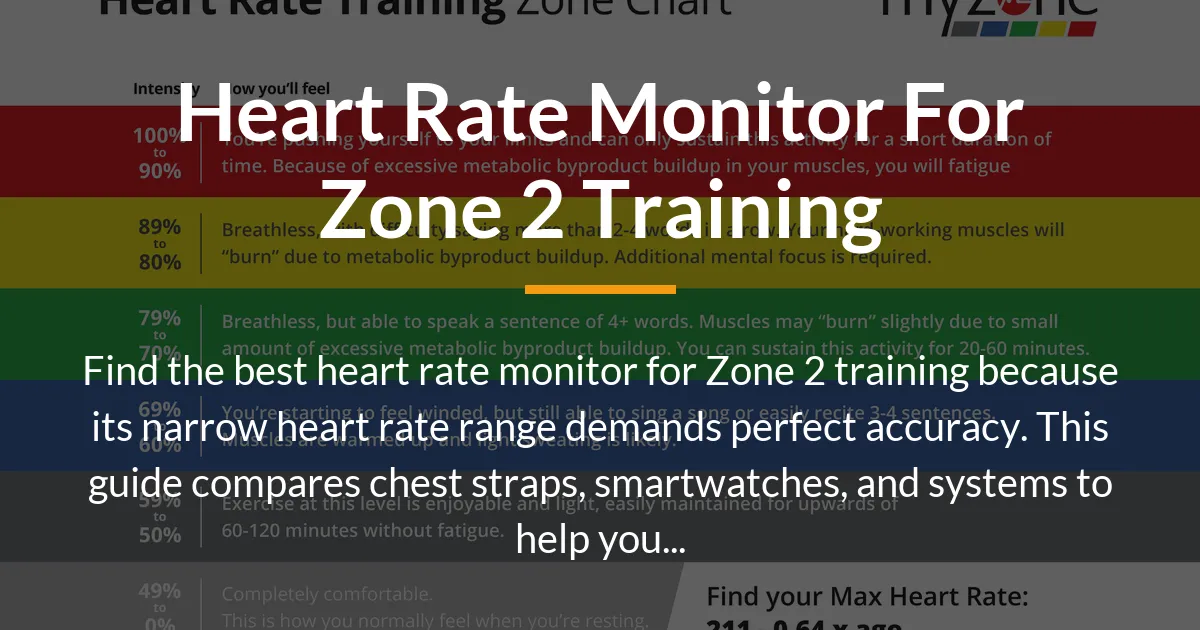
Building a powerful aerobic engine requires training in Zone 2, a specific low-intensity heart rate zone. However, this method’s success depends completely on precision. This guide answers the critical question of the best heart rate monitor for Zone 2 training by connecting the unique demands of this workout to the specific features you need in your gear.
Why Zone 2 Training Demands a Different Kind of Monitor
Not all heart rate monitors are created equal, and Zone 2 training exposes the weaknesses of many popular devices. While a basic fitness tracker might suffice for general activity, the specific goals of Zone 2 work make unusual demands on your equipment.
The purpose of Zone 2 is to stimulate mitochondrial development and improve fat metabolism without accumulating significant fatigue or lactate. This happens within a very precise physiological window. Straying outside this window, even by a small amount, changes the primary adaptation of the workout.
The Narrow Bandwidth Problem
Your Zone 2 range is typically just 10% of your maximum heart rate, often between 60-70% of that max. For many people, this translates to a span of only 10 to 15 beats per minute.
This tight margin for error is the core challenge. In higher intensity zones, a monitor that is off by 5 or even 10 beats per minute might still show you are working hard. In Zone 2, that same error can push you from the top of Zone 2 into Zone 3, fundamentally altering the workout’s stress and intended benefit.
You are aiming for a specific metabolic state, not just a feeling of effort. An inaccurate monitor provides false feedback, making it impossible to know if you are truly hitting the correct physiological target.
Latency: The Silent Workout Killer
Many optical heart rate sensors, common in smartwatches, have a noticeable delay. Your heart rate can change, but the watch might take 5 to 10 seconds to display that change. This latency creates a frustrating and ineffective feedback loop.
Imagine you start jogging and your heart rate climbs to the top of your Zone 2. With a delayed monitor, you continue at that pace while your actual heart rate enters Zone 3. By the time your watch shows the high number, you have already been working too hard for 30 seconds. You slow down, but then your actual heart rate plummets below Zone 2 before the display catches up.
You end up constantly chasing a number that is not real-time, leading to a erratic pace and inconsistent training stimulus. For Zone 2, you need a monitor that updates with every heartbeat to allow for smooth, immediate pace adjustments.
Comfort and Consistency for Long Sessions
Zone 2 workouts are not short, high-intensity bursts. They are long, steady efforts often lasting 45 minutes to 90 minutes or more. This duration introduces practical considerations that are less critical for shorter workouts.
A device that feels fine for 20 minutes can become a major distraction over an hour. Chafing from a strap, a heavy watch bouncing on your wrist, or a poor fit that requires constant adjustment will break your focus and compromise the steady effort required.
Battery life also becomes a genuine feature. A monitor that cannot last through your longest weekly session is not suitable for this type of training program. You need gear you can forget about once you start your workout.
The Heart Rate Monitor Spectrum for Zone 2 Training
Understanding the different types of heart rate monitors available is the first step in making an informed choice. Each technology has strengths and weaknesses that are magnified under the specific conditions of Zone 2 training.
Optical Sensors: Wrist and Arm-Based Monitors
These are the most common sensors, found in almost every smartwatch and fitness band. They use LEDs to shine light into your skin and measure the blood flow in your capillaries to estimate heart rate.
The primary advantage is immense convenience. You likely already own a device with this technology. It is always on your wrist, tracking steps, notifications, and workouts with minimal thought required.
For Zone 2 training, however, they face significant hurdles. They are prone to motion artifacts, where arm movement is mistaken for a heartbeat. This can lead to “cadence lock” in running, where the monitor displays your step rate instead of your heart rate.
Furthermore, during steady-state exercise, changes in blood flow can lag behind actual heart rate changes. The sensor might also struggle to get a good reading if not worn very tightly, which can be uncomfortable over long periods. While improving, these factors make optical sensors the less reliable choice for the precision Zone 2 requires.
Chest Strap Monitors: The Electrode-Based Standard
Chest strap monitors use electrocardiography (ECG) principles, the same method used in medical settings. The strap has electrodes that sit against your skin to detect the electrical signals your heart produces with each beat.
This method provides medical-grade accuracy and true beat-by-beat data transmission with virtually no latency. When your heart beats, the monitor knows instantly. This makes it the undisputed gold standard for any training where exact heart rate is critical, especially Zone 2.
The trade-off is in convenience and comfort. You must remember to put it on before a workout, wet the electrodes for good contact, and some people find the strap itself uncomfortable. It also requires a paired device, like a watch, phone, or bike computer, to display the data.
For the sole purpose of executing an accurate Zone 2 session, the chest strap’s superior performance almost always outweighs these minor inconveniences.
Integrated Fitness and Recovery Systems
This category includes devices like the Whoop strap or the Oura Ring. They are designed as 24/7 wearables that focus less on real-time workout pacing and more on overall strain, recovery, and sleep metrics.
They offer a holistic view of your body’s readiness. Their algorithms analyze your heart rate variability and resting heart rate to suggest daily effort levels. This can be incredibly valuable for determining if you are recovered enough for a productive Zone 2 session or need a rest day.
The potential drawback for Zone 2 training is the ecosystem. These systems often use proprietary apps and subscription models. Their real-time heart rate display during a workout might not be as immediate or prominent as on a sports watch, and they may not pair easily with other platforms you use. They are excellent for guiding overall training load but can be less optimal as a primary, real-time pacing tool during the workout itself.
The Critical Zone 2 Metrics Beyond Basic Heart Rate
Choosing a monitor involves more than just picking a sensor type. Effective Zone 2 training is part of a larger system of aerobic development. The best setups provide data that helps you manage not just the workout, but your overall recovery and long-term progress.
Heart Rate Variability as Your Daily Guide
Heart Rate Variability is a measure of the tiny variations in time between each heartbeat. A higher HRV generally indicates a more relaxed nervous system and better recovery, while a lower HRV can signal stress, fatigue, or illness.
For Zone 2 training, monitoring HRV is arguably as important as monitoring heart rate during the workout. A consistently low HRV score might tell you that your body is not recovering well, perhaps from other life stresses or training load.
On such a day, sticking to a strict Zone 2 session, or even taking a complete rest day, would be more beneficial than pushing forward. A device that tracks HRV helps you train smarter by ensuring your Zone 2 work is built on a foundation of good recovery, maximizing its positive adaptations.
Understanding Your Data Ecosystem
Your heart rate data is most useful when you can analyze it over time. You need to decide what kind of system you want to build. Will you use a standalone device that stores everything internally? Do you want a chest strap that sends data to your favorite app on your phone? Or do you prefer an all-in-one system that handles everything?
For serious aerobic development, the ability to review a metric called “aerobic decoupling” is powerful. This looks at the relationship between your heart rate and your pace or power over a long workout. In an ideal Zone 2 session, they should rise together very slightly. A significant drift where heart rate climbs while pace stays constant can indicate fatigue or that you started too high.
Some sports watches and apps like TrainingPeaks calculate this automatically. A simple closed-system fitness band likely will not. Your choice of monitor and its connected app determines whether you have access to these deeper insights.
How to Field-Test Your Current Monitor
Before buying new gear, you can test the suitability of your current heart rate monitor for Zone 2 work. This simple field test reveals its accuracy and latency.
Find a flat, consistent route like a track or quiet path. Warm up gently for 10 minutes. Then, start a steady, easy jog or bike ride that you believe is in your Zone 2. Maintain an absolutely constant pace or power output for 20 minutes. Do not change your effort based on how you feel.
Observe your heart rate reading. In a perfect scenario, it will climb slightly for the first 5-10 minutes as your body warms up and then stabilize in a very tight range for the final 10-15 minutes. If the number jumps around erratically, shows large delays when you subtly change breathing, or steadily climbs without stabilizing, your monitor likely has issues with accuracy or latency for Zone 2 work. This test gives you concrete evidence of its performance.
Building Your Optimal Zone 2 Monitoring System
With an understanding of the requirements and technologies, you can now assemble the system that fits your goals, budget, and preferences. Here are practical setups ranging from pure accuracy on a budget to fully integrated athletic ecosystems.
The Low-Cost, High-Accuracy Setup
If your primary goal is executing flawless Zone 2 workouts without extra features, this is the best value. The core is a reliable chest strap monitor, such as the Polar H10 or Garmin HRM-Dual.
Pair the strap with a free smartphone app like Strava, Wahoo Fitness, or a dedicated heart rate app. Your phone becomes the display screen, showing your real-time heart rate. You set your Zone 2 range in the app and simply aim to keep the number within the band.
This setup gives you medical-grade accuracy for Zone 2 at a relatively low cost. The downside is you need to carry your phone, and the data analysis in free apps might be basic. But for pure workout execution, it is incredibly effective.
The Integrated Training Computer
This is the choice for multi-sport athletes or those who want deep data without a phone. It centers on a dedicated GPS sports watch from brands like Garmin, Coros, or Suunto.
You pair a chest strap to the watch for ultimate accuracy. The watch then becomes a powerful tool. You can program your Zone 2 range into a structured workout. It will beep or vibrate if you drift out of zone, and it records every detail of your session.
Afterwards, you can sync the watch to a platform like Garmin Connect or Strava to analyze heart rate zones, aerobic decoupling, and long-term trends. This system is for the athlete who views Zone 2 as one part of a structured training plan that includes other intensities and sports.
The Lifestyle-Focused Recovery System
For individuals focused on overall health, recovery, and managing life stress alongside fitness, a 24/7 wearable system can be ideal. A device like the Whoop strap or an Oura Ring provides constant feedback.
It guides your daily exertion, suggesting when to push in Zone 2 and when to prioritize recovery based on your sleep and HRV. The Zone 2 workout itself is tracked, but the greater value is the context around it.
The trade-off is the ongoing subscription cost and a less focused real-time display during your workout. Your pacing might rely more on perceived effort, with the device validating your effort level afterwards. This system optimizes for long-term balance and preventing overtraining.
Implementing Your Heart Rate Monitor for Zone 2 Success
Having the right monitor is only half the battle. Using it correctly is what transforms data into results. This section guides you from setting accurate zones to analyzing your progress.
Finding and Setting Your True Heart Rate Zones
The common formula of 220 minus your age is notoriously inaccurate for setting zones. To train in Zone 2 effectively, you need a better starting point.
A more reliable method is to perform a field test to find your Lactate Threshold Heart Rate or Functional Threshold Heart Rate. One simple protocol is a 30-minute time trial. After a warm-up, run or cycle as hard as you can sustain for 30 minutes. Your average heart rate over the final 20 minutes is a good estimate of your LTHR.
You can then use this number, rather than your age-predicted max, to calculate zones. Many sports watches and online calculators allow you to input your LTHR to generate personalized, more accurate zones. This single step ensures your Zone 2 range is truly your Zone 2.
The Workout Execution Protocol
Begin each session with a 10-minute warm-up at a very easy effort, well below your Zone 2. Start your monitor and the workout timer on your app or watch. Gradually increase your effort until your heart rate enters the bottom of your Zone 2 range.
Your only goal for the next 45-90 minutes is to keep that number inside the zone. Ignore your running pace or bike speed completely, especially at the beginning. It will feel very slow. If your heart rate climbs to the top of the zone, slow down slightly. If it drops, gently increase effort.
Be aware that heart rate can drift upward in hot or humid conditions as your body works harder to cool itself. This is normal. The goal is to manage the effort to keep the heart rate as stable as possible, not to fight biology. Staying hydrated and training in cooler temperatures can minimize this effect.
Analyzing Your Data for Progressive Overload
The principle of progressive overload applies to Zone 2 training as well. You need to gently increase the stress over time to keep improving. Review your workout data to track three key metrics.
First, look at your average heart rate for similar sessions over time. Is it trending downward for the same pace or power? This is a classic sign of improved aerobic efficiency. Second, note the total time you spent in the correct zone. Can you gradually extend the duration?
Finally, if your device or app measures it, look at the aerobic decoupling metric. Over weeks of consistent training, the degree of drift at your standard Zone 2 effort should decrease. This indicates your body is becoming more metabolically stable at that intensity. These data points, not just how you feel, provide objective proof your aerobic base is growing.
Semantic FAQ on Heart Rate Monitors for Zone 2 Training
Can I use my Apple Watch or other smartwatch for Zone 2 training?
Yes, you can use it, but for the most reliable results, you should pair it with a chest strap monitor. This combines the smartwatch’s convenience with clinical-grade accuracy. If using the watch’s optical sensor alone, ensure the band is snug and be particularly vigilant for cadence lock during running, where the heart rate display matches your step count.
How do I maintain and ensure the accuracy of my chest strap monitor?
Rinse the strap with fresh water after each use to remove sweat and salt, and let it air dry. Before wearing, moisten the electrodes with water or a small drop of electrode gel to ensure excellent skin contact. If the signal becomes erratic, replacing the battery is often the first and simplest fix, as a low battery can cause transmission issues.
Is a dedicated heart rate monitor necessary for Zone 2 training on a stationary bike?
While the controlled environment of a stationary bike reduces motion artifact, optical sensors on bike handlebars or your wrist can still be inconsistent. For precise Zone 2 work where you want to track subtle improvements over time, a chest strap or a dedicated optical armband like the Polar Verity Sense is a worthwhile investment for consistent, accurate data.
What is the single most important feature in a heart rate monitor for Zone 2 training?
The most critical feature is accuracy with minimal latency. Because the Zone 2 range is so narrow, a device that provides a precise, real-time reading is fundamental. This feature is more important than a colorful screen, long battery life, or other smart features. An accurate but basic monitor will lead to better training outcomes than a feature-rich but inaccurate one.
Selecting the right heart rate monitor for Zone 2 training is a decision that directly impacts the quality of your aerobic development. By prioritizing accuracy and real-time data to navigate the narrow zone, and choosing a system that fits your broader training philosophy, you turn your workouts into a powerful tool for building lasting fitness. The correct monitor provides the honest feedback needed to stay on track, ensuring every minute of your effort contributes to a stronger, more efficient engine.