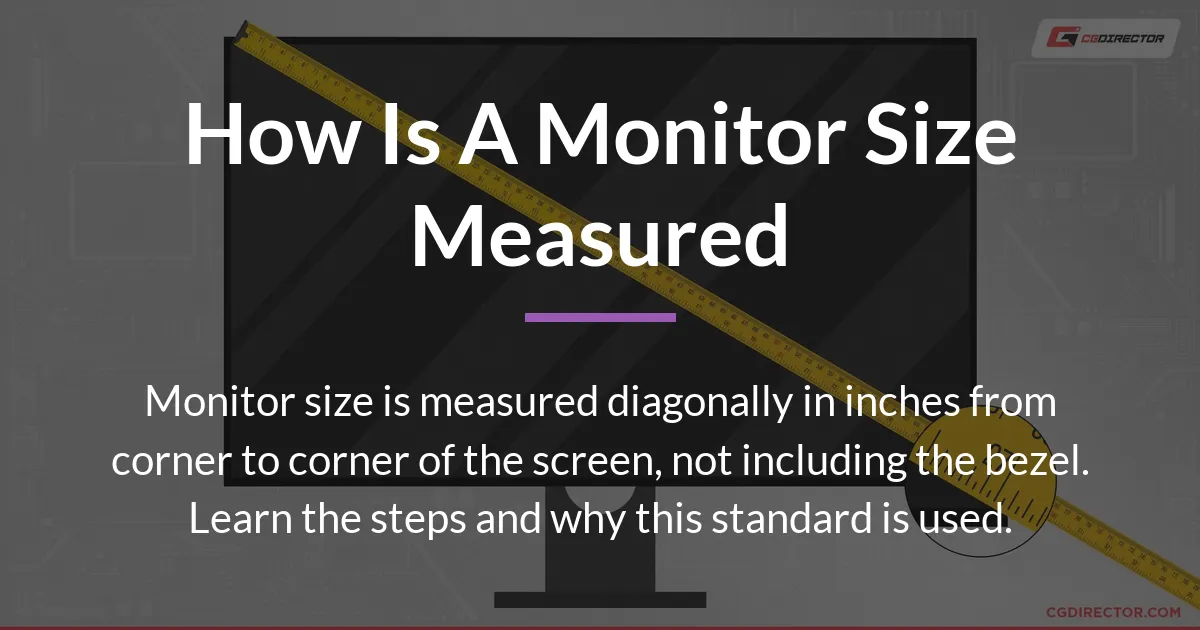
If you have ever asked how is a monitor size measured, the direct answer is simple. Manufacturers measure the screen diagonally from one corner to the opposite corner, and they express this distance in inches. This number refers only to the visible screen area, not the plastic frame around it. Knowing this basic rule is your first step, but the full story involves history, practical tips, and what that diagonal number really means for your desk and your eyes.
How to Measure Your Monitor with a Tape Measure
You can verify a monitor’s size yourself with a common tape measure or ruler. The process is straightforward, but accuracy depends on measuring the correct part of the device.
Always measure the actual screen where the image appears, ignoring the black or colored bezel that surrounds it. The bezel is just the plastic frame, and it is never included in the official size specification.
Steps for an Accurate Measurement
- Power off your monitor so you can clearly see the screen edges without glare or a displayed image getting in the way.
- Take your measuring tape and place the start point at the bottom-left corner of the visible screen. Be precise and ensure the tape is right at the edge where the picture begins.
- Stretch the tape diagonally across to the top-right corner of the visible screen. Keep the tape straight and flat against the screen surface for the most correct measurement.
- Read the measurement in inches. The industry standard for monitor size is inches, so using centimeters will require conversion for comparison with advertised specs.
If you measure from the bottom-right to the top-left corner, you will get the same diagonal length. The key is to measure between two opposite corners of the luminous screen area. Your result should be close to the advertised size, like 24 inches or 27 inches.
A small discrepancy of a tenth of an inch is normal due to manufacturing rounding. If your measurement seems way off, double-check that you are not including the bezel. Measuring the bezel will give you a larger, incorrect number for the overall monitor casing, not the screen itself.
The Reason for Diagonal Measurement
The tradition of using a single diagonal number dates back to the era of cathode ray tube televisions and monitors. In those CRT days, the size of the picture tube was described by its glass diameter, which was naturally a diagonal measure.
This method carried over to modern flat screens because it provides a single, easy-to-compare figure. Using width and height would require two numbers, making quick comparisons between models more difficult for shoppers.
A diagonal measurement allows for a shorthand way to gauge the overall scale of the display. It became a universal marketing standard that everyone understood, from TVs to computer monitors.
However, this simplicity comes with a trade-off. The diagonal alone does not tell you the screen’s width or its height. Two monitors with the same diagonal size can have very different shapes and take up different amounts of desk space.
Why the Diagonal Measurement Can Be Misleading
Relying solely on the diagonal inch figure can lead to surprises when you unbox a new monitor. The primary reasons involve the screen’s shape, its physical borders, and a bit of marketing leniency.
Aspect Ratios Change the Actual Shape
Aspect ratio is the proportion of the screen’s width to its height. Common ratios are 16:9 for widescreens and 21:9 for ultrawide monitors.
A 27-inch diagonal creates a different footprint for each aspect ratio. A 27-inch 16:9 monitor is wide and relatively short. A 27-inch 21:9 ultrawide is significantly wider but shorter in height.
This means the “27-inch” label guarantees neither the width nor the height. The diagonal is constant, but the shape is not. This is crucial for understanding how much horizontal space an ultrawide will consume on your desk compared to a standard widescreen.
The Bezel is Not Included in the Size
The advertised monitor size strictly refers to the panel diagonal. The bezel, which is the frame around the screen, adds to the total physical dimensions of the device.
When you measure with a tape, you might inadvertently include the bezel if you place the tape on the outer edge of the monitor casing. This will yield a number larger than the official size. Always measure the lit area from corner to corner.
This distinction is important when buying a monitor for a tight space or when selecting a protective screen cover. The cover needs to fit the visible screen, while your desk needs to accommodate the entire monitor body including the bezel.
Manufacturer Rounding is Standard Practice
Do not be alarmed if your careful measurement reads 26.9 inches for a monitor sold as 27 inches. This is typical nominal sizing.
Companies often round the actual panel diagonal to the nearest whole inch for a cleaner product name. A tiny rounding error is accepted in the industry. Your tape measure is likely correct, and the specification is still accurate for all practical purposes.
What the Monitor Size Number Actually Means For You
Translating the diagonal measurement into practical knowledge helps you choose the right monitor and set it up comfortably. The size number impacts your desk real estate, the sharpness of the image, and how far you should sit.
Estimating Physical Desk Space
To find the true width and height of a monitor, you need its diagonal and its aspect ratio. You can use the Pythagorean theorem or look up the model’s detailed specifications online.
For a common 16:9 screen, a 24-inch diagonal translates to roughly 20.9 inches wide and 11.8 inches tall. A 27-inch 16:9 monitor is about 23.5 inches wide and 13.2 inches tall. These physical dimensions are what you need to check against your available desk area.
Ultrawide monitors demand more width. A 34-inch 21:9 screen can be over 31 inches wide but only about 13 inches tall. Always verify the product sheet for exact dimensions before purchasing if space is a constraint.
Understanding Pixel Density and Clarity
Screen size and resolution are deeply connected. Resolution is the number of pixels on the screen, like 1920×1080 (Full HD) or 3840×2160 (4K UHD).
Pixel density, measured in pixels per inch, determines sharpness. A 24-inch monitor running 1920×1080 has a higher pixel density than a 32-inch monitor with the same resolution. The image on the smaller screen will look crisper because the pixels are packed more tightly.
For larger screens, a higher resolution is necessary to maintain clarity. A 32-inch monitor is best paired with 1440p or 4K resolution to avoid seeing individual pixels during normal use. This relationship is key for a clear viewing experience.
Choosing a Comfortable Viewing Distance
A general guideline is to sit at a distance roughly 1.5 to 2.5 times the diagonal screen size. For a 24-inch monitor, this means sitting about 3 to 5 feet away.
Larger screens allow you to sit further back while still filling your field of view, which can be more comfortable for long sessions. If you sit too close to a very large monitor, you may need to move your head to see all corners, which can cause neck strain.
The ideal distance also depends on your vision and the tasks you perform. Fine detail work like photo editing might require sitting closer, while watching movies is more relaxing from a greater distance. Adjust your setup to what feels right for your eyes.
Frequently Asked Questions
Is a curved monitor measured differently?
No, a curved monitor is measured the same way: diagonally across the screen surface. The tape should follow the curve of the panel, not a straight line through the air, but the measured distance along the curve is still the official diagonal size.
Does the monitor size include the stand?
No, the monitor size refers only to the screen diagonal. The stand’s height and base are separate dimensions that contribute to the total product size. You must check the full product specifications for the monitor’s height with stand included.
Why is my measurement slightly off from the advertised size?
Your measurement might be slightly off because manufacturers use nominal sizing and round the number. Also, ensure you are measuring only the visible screen area and not including the bezel. A difference of 0.1 to 0.3 inches is common and not a cause for concern.
Is a 24-inch monitor the same size as a 24-inch TV?
They have the same screen diagonal, but their physical dimensions and bezel sizes may differ. TVs often have larger bezels. Also, the aspect ratio is typically the same (16:9), so the width and height should be very similar for the screen itself.
How do I measure a monitor if I only have the model number?
Look up the model number on the manufacturer’s website or a retailer’s site. The detailed specifications will list the screen size in inches. This is the most reliable method if you cannot physically measure the device.
What’s more important, screen size or resolution?
Both are important and work together. For a balanced experience, choose a screen size and a resolution that provide high pixel density for sharpness. A 27-inch monitor with a 1440p resolution is often considered a sweet spot for clarity and workspace.
Can I accurately measure a monitor with a ruler?
Yes, a ruler can work for smaller monitors. For screens larger than 12 inches, a tape measure is easier. The principle is the same: measure the visible screen diagonally in inches from corner to corner.
How does screen size affect gaming?
Larger screens offer a more immersive experience but require more powerful graphics hardware to drive high resolutions at smooth frame rates. Competitive gamers sometimes prefer smaller, faster screens for easier focus, while single-player gamers may enjoy large, ultrawide displays.
What is the standard size for an office monitor?
The common size for a modern office monitor is between 24 and 27 inches. This range provides ample space for multitasking with documents and web browsers without overwhelming a standard desk. Ultrawide monitors around 34 inches are also popular for office productivity.
How do I measure a monitor for a protective screen cover?
Measure the exact width and height of the visible screen area in millimeters or inches. Do not use the diagonal measurement. Screen covers are designed to fit the flat, rectangular surface of the panel, so precise width and height dimensions are necessary for a correct fit.
Understanding how is a monitor size measured gives you the tools to verify specs and make smarter choices. Remember that the diagonal inch figure is a useful starting point, but always consider the aspect ratio and resolution to picture how the monitor will truly fit and perform in your daily life.