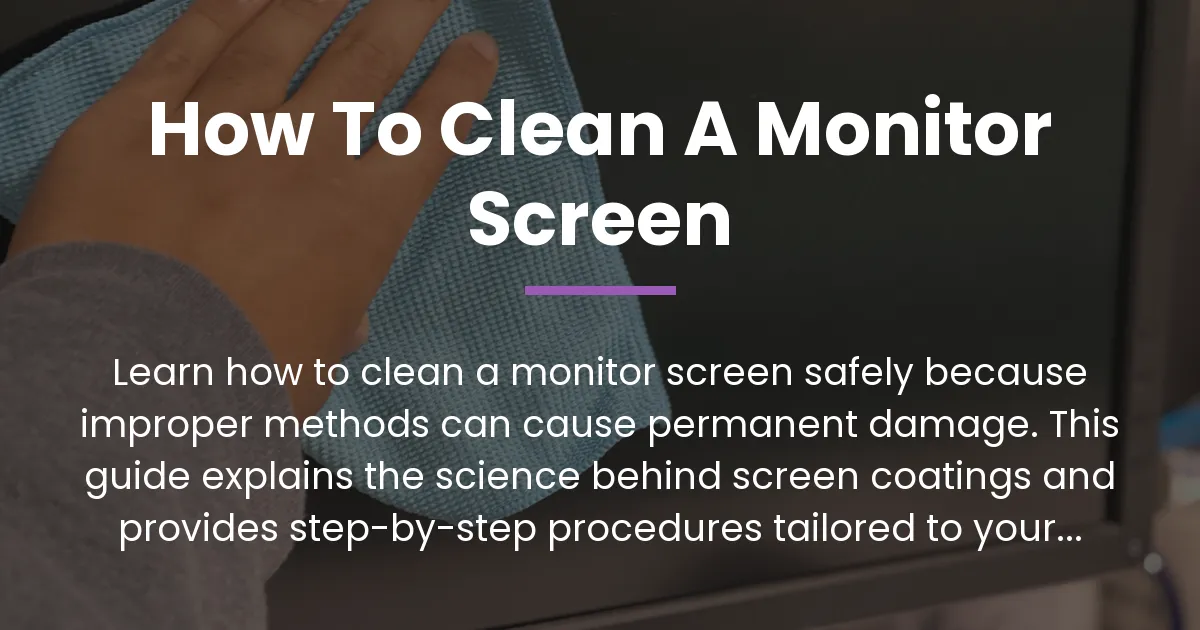
You look at your monitor and see a layer of dust, fingerprints, and smudges that dull the display. Your immediate thought is to wipe it clean, but a deep fear holds you back. You have heard stories of people causing permanent scratches or a hazy film by cleaning their screens incorrectly. This guide exists to eliminate that fear. It will teach you how to clean a monitor screen with absolute confidence. We will first establish the non-negotiable safety rules, then explain the precise science behind why those rules matter, and finally provide a flexible cleaning protocol that changes based on your specific screen type. By the end, you will achieve a spotless, like-new display without any risk of damage.
The Non-Negotiable Rules of Monitor Cleaning
Before you touch your screen, you must understand and accept three fundamental commandments. These rules are universal. They apply to every single monitor, from a budget office display to a premium gaming panel. Ignoring them is the fastest way to turn a simple cleaning session into a costly mistake.
The first rule is about power. You must always power down your monitor and unplug it from the electrical outlet. This is not a gentle suggestion. It is a critical safety requirement for both you and the device. A powered-on screen can have a static charge that attracts dust to its surface during cleaning. More importantly, if any liquid seeps into the bezel or ports of a live monitor, it can cause a short circuit. This can permanently damage the internal electronics. Always start with a cold, disconnected monitor.
The second rule governs your tools. The only cloth you should ever bring near your monitor is a perfectly clean, soft, and lint-free microfiber cloth. This is the undisputed king of cleaning fabrics. All other materials are potential enemies. Paper towels, facial tissues, and old t-shirts might feel soft to your fingers. On a microscopic level, however, their fibers are rough and abrasive. They will act like fine sandpaper against your screen’s delicate coating. Your microfiber cloth must also be clean. A used cloth that has been sitting in a drawer will have trapped dust particles. Those particles become abrasive agents that will scratch the screen. If there is any doubt about your cloth’s cleanliness, wash it gently with water and a drop of mild soap, rinse thoroughly, and let it air dry. Do not use fabric softener, as it can leave a residue.
The third rule concerns the liquid you use. Distilled water is the baseline and safest solvent for monitor cleaning. Tap water contains minerals that can leave behind spots or residue as it dries. Distilled water has those impurities removed. The principle is to dampen the cloth, not the screen. The cloth should be only slightly moist, never dripping wet. Any other liquid, from window cleaner to alcohol, enters a zone of extreme risk. Their use requires specific knowledge about your screen’s construction, which we will cover later. For now, remember that distilled water on a microfiber cloth is the gold standard of safe cleaning.
Why “Just Wipe It” Can Ruin Your Display: The Science of Damage
Understanding these rules is good. Understanding why they exist is what makes you an expert who will never cause harm. A modern monitor screen is not a simple piece of glass or plastic. It is a sophisticated sandwich of delicate layers, each with a specific function. The panel itself generates the image. On top of it lies a polarizing filter. The most vulnerable part, the part you actually touch and clean, is the final optical coating. This coating is what gives the screen its finish—glossy or matte—and often includes properties to reduce glare or repel fingerprints.
This ultra-thin coating is where all cleaning damage occurs. There are three primary ways to damage it, and each corresponds directly to the rules above. The first damage vector is abrasion. When you wipe a screen with any material, you are dragging countless tiny particles across its surface. These particles can be dust from the air, grit embedded in a cloth, or even fibers from a paper towel. Even if you cannot see them, they are there. They act like miniature sanding stones. Wiping in a circular motion is particularly harmful because it can grind these particles in concentric paths, creating a web of fine scratches that scatter light. This is why a straight, light-pressure wipe from one edge to the other is always safer.
The second vector is chemical dissolution. Many common cleaning agents are solvents designed to break down grease and grime. Your screen’s optical coating is often made from polymers and thin films. Harsh chemicals like ammonia, acetone, or high-concentration isopropyl alcohol do not just clean the surface. They can actually dissolve or degrade these delicate layers. The result is not a scratch but a permanent cloudiness or discoloration. The coating breaks down, and this damage cannot be wiped away. It is a chemical change, not a physical one.
The third vector is liquid intrusion. Using too much moisture is a direct threat. If liquid is sprayed onto the screen or a soaking wet cloth is used, the fluid can seep past the edges of the screen assembly. It can drip into the bezel, where it might reach internal circuits or work its way between the layers of the screen itself. This can cause staining, electrical failure, or “water spots” trapped inside the display. This is why the instruction is always to dampen the cloth, not the monitor. The goal is to have just enough moisture to loosen grime, which evaporates quickly without penetrating any seals.
The Myth of the Universal Method
Most guides present a single, simplistic method. They say to use a microfiber cloth with water and wipe gently. This advice is not wrong, but it is dangerously incomplete. It assumes all screens are the same. It ignores the fact that a fingerprint on a glossy laptop screen requires a different approach than dust on a textured matte monitor. The one-size-fits-all method leaves you guessing when faced with stubborn grease or an unknown screen type. This gap in knowledge is what leads to the frustration and damage mentioned in user comments. The next section closes that gap completely.
Critical Consideration: Your Screen’s Coating Dictates the Protocol
This is the core insight that transforms generic advice into a personalized, safe strategy. The most important factor in how to clean a monitor screen is the type of protective coating on its surface. There are two primary types, and your monitor has one of them. Identifying which one you have is simple and takes only a moment. This knowledge dictates everything about your cleaning approach, from the pressure you apply to the solutions you consider.
The first type is the glossy or oleophobic coating. This finish is smooth, shiny, and reflective. It often has a slick feel to the touch. Manufacturers use it because it provides vibrant colors and deep blacks by minimizing light diffusion. The downside is that it shows fingerprints and smudges very easily. The coating on these screens is frequently treated with an oleophobic layer, which is designed to repel oils from your skin. This layer is exceptionally thin and sensitive to certain chemicals. Alcohol-based cleaners can strip this layer away, leaving the screen permanently prone to smudging and possibly hazy.
The second type is the matte or anti-glare coating. This finish has a slightly textured, rough surface when viewed under a microscope. It feels different to the touch—less slick. Its job is to diffuse ambient light, reducing reflections and glare. This makes it popular for office environments or brightly lit rooms. The textured surface is excellent at scattering light, but it is also excellent at trapping tiny dust and skin particles. Cleaning a matte screen requires more care during the dry dusting phase, as abrasion is a greater risk. However, the coating itself is often more chemically robust than the ultra-thin layers on a glossy screen.
How to Identify Your Screen Type
Turn your monitor off. Look at the black screen in a room with a light source, like a lamp or window. Tilt the monitor slightly. If you see a clear, sharp reflection of the light, like in a mirror, you have a glossy screen. If the reflection appears diffused, soft, or foggy, and the screen surface looks grainy under close inspection, you have a matte screen. This simple test gives you the essential information needed to clean correctly.
The Cleaning Aggressiveness Scale
Think of cleaning solutions on a scale from safest to most aggressive. Your goal is to use the mildest effective method. For light dust on any screen, a dry microfiber cloth is perfect. For fingerprints and smudges, a microfiber cloth lightly dampened with distilled water is the next step. For stubborn grease or grime that water cannot dissolve, you may need to move slightly up the scale. For a robust matte screen, a single drop of plain dish soap in a cup of distilled water can create a very mild cleaning solution. For a sensitive glossy screen, you should avoid soap and instead use repeated, gentle passes with distilled water only. Understanding this scale allows you to adapt to the situation without guessing or using dangerous products.
How to Clean a Monitor Screen: The Adaptive, Step-by-Step Procedure
Now, we combine everything into a single, actionable process. This is not a rigid list but a logical flow of phases. You will move through each phase, making decisions based on your screen type and the level of dirt. Remember the rules and the science as you proceed. This method ensures you address the problem effectively while eliminating every risk of damage.
Phase 1: Preparation and Assessment
Begin by powering down your monitor completely. Unplug the power cable from the back of the monitor and from the wall outlet. This is the non-negotiable first step for safety. Allow the screen to cool down if it has been in use. Gather your tools: a perfectly clean microfiber cloth is mandatory. Prepare a second clean microfiber cloth if you have one, for drying. Have a small spray bottle filled with distilled water ready. Do not use a spray bottle that previously contained any other chemical. Now, perform the light reflection test described in the previous section to identify your screen coating. This assessment informs your actions in the next phases.
Phase 2: The Crucial Dry Dust Removal
Do not skip this step. Trying to clean damp dust will create a muddy paste that is highly abrasive. Take your dry, clean microfiber cloth. Gently wipe the entire screen surface using long, straight, overlapping strokes. Start from the top and move to the bottom. Apply almost no pressure; let the cloth barely kiss the surface. The goal is to let the microfiber’s electrostatic properties lift and trap the loose dust particles. For a matte screen, be extra gentle and systematic, as the texture can hold onto dust. If your cloth becomes visibly dusty, shake it out away from the monitor or switch to a clean area of the cloth. The screen should now be free of all loose debris.
Phase 3: The Controlled Damp Cleaning
This phase tackles oils and smudges. Take your second clean microfiber cloth or a fresh section of your first cloth. Lightly mist the cloth with distilled water from your spray bottle. Do not spray the screen directly. The cloth should be slightly damp to the touch, not wet. If you can wring water out of it, it is too wet. Gently wipe the screen using the same long, straight strokes. Work in sections, from top to bottom. For a glossy screen, you may see streaks as the water dissolves the oils. This is normal. If streaks remain, do not press harder. Simply allow the screen to air dry completely for a few minutes. The streaks often disappear as the water evaporates. If they do not, use a perfectly dry section of your microfiber cloth to very lightly buff the area after it is dry.
Phase 4: Spot Treatment for Stubborn Contaminants
If distilled water alone does not remove a greasy fingerprint or a sticky spot, you must proceed with extreme caution. First, re-identify your screen type. For a matte screen, you can consider a mild soap solution. Mix one drop of plain, fragrance-free dish soap into one cup of distilled water. Dampen a tiny corner of your microfiber cloth in this solution, wring it out thoroughly, and test it on a very small, inconspicuous area at the very edge of the screen. If no adverse effect occurs after it dries, gently dab the stubborn spot. Immediately wipe over the area with a cloth dampened with pure distilled water to rinse, then dry with a clean, dry cloth. For a glossy screen, avoid soap. Instead, breathe lightly on the stubborn spot to create a slight fog of moisture, then immediately wipe with a dry microfiber cloth. The warmth and slight humidity can sometimes loosen the grime without introducing any liquid. Never use commercial cleaners, alcohol wipes, or abrasive rubbing on any spot.
Frequently Asked Questions About Monitor Cleaning
These questions address specific, common concerns that arise after understanding the main procedure. The answers are definitive and reference the principles already established, avoiding any repetition of the core instructions.
Can I use isopropyl alcohol or screen disinfectant wipes?
Generally, no. High-concentration isopropyl alcohol, commonly found in cleaning wipes, is a potent solvent. It can rapidly degrade anti-reflective and oleophobic coatings, especially on glossy screens. This damage manifests as a permanent cloudy haze or a loss of the fingerprint-resistant property. Some monitors, particularly those designed for medical or shared office use, may be certified by the manufacturer as safe for disinfectant wipes. You must check your monitor’s official manual or support website for this specific information. If no such certification exists, do not use them. For the science behind this chemical risk, review the section on chemical dissolution.
What if I do not have a microfiber cloth right now?
In a true emergency where you must clean the screen immediately, you can use a brand new, unused, and very soft piece of cotton flannel or linen. Test it first on a tiny corner of the screen with minimal pressure. Any cloth that is not microfiber carries a higher risk of abrasion because its fibers are larger and less effective at trapping dust. Paper products, kitchen towels, and standard clothing are not acceptable substitutes. They will almost certainly cause fine scratches. The correct action is to delay proper cleaning until you can acquire a microfiber cloth, which is an inexpensive and essential tool for monitor maintenance.
How do I remove sticky residue or tape gunk from a monitor?
First, try mechanical removal. With the monitor powered off, use a clean microfiber cloth over your finger and gently roll the sticky substance. The goal is to get it to ball up and lift off without spreading it. If this fails, use minimal moisture. Dampen a corner of a microfiber cloth with distilled water and hold it against the residue for thirty seconds to soften the adhesive. Then, gently wipe. Never use stronger solvents like Goo Gone, nail polish remover, or window cleaner. These chemicals are almost guaranteed to damage the screen coating permanently. If the residue persists, it is safer to consult a professional than to risk dissolving your screen’s surface.
Is it safe to use a screen cleaner made for eyeglasses?
This depends entirely on the cleaner’s ingredients. Many eyeglass cleaners contain alcohols or ammonia. You must read the label carefully. If it contains any alcohols, ammonia, or other harsh chemicals, do not use it on your monitor. Some are simply water-based with a mild surfactant. If you are certain it is alcohol-free and chemical-free, you could test it on an inconspicuous area. However, distilled water is a safer, cheaper, and equally effective alternative for most monitor cleaning tasks. Introducing a commercial product adds unnecessary variables and risk.
How often should I clean my monitor screen?
There is no fixed schedule. Clean it when you notice a visible layer of dust or smudges that distract from the image quality. For most home users, a light dry dusting once a week and a damp cleaning every month or two is sufficient. In dusty environments or with frequent touchscreen use, you may need to clean more often. The key is to always use the correct method to prevent cumulative damage from frequent improper cleaning. Regular, gentle cleaning is better than letting grime build up to a point where you feel the need for aggressive scrubbing.
Can I use a vacuum cleaner to remove dust?
No. The nozzle of a vacuum cleaner, even with a brush attachment, can generate static electricity and can physically scratch the screen if it makes contact. The suction force is also not designed for delicate surfaces and could potentially harm the screen. The only safe way to remove dry dust is with a clean, dry microfiber cloth as described in Phase 2 of the procedure. This method is both effective and completely safe.
You now possess complete knowledge on how to clean a monitor screen. You understand the non-negotiable rules that form the foundation of safety. You comprehend the scientific reasons behind screen damage, which prevents you from taking risky shortcuts. Most importantly, you know that your screen’s specific coating dictates the exact protocol, moving you from guesswork to guided action. This comprehensive understanding empowers you to maintain a crystal-clear display for years. The next time you see a smudge, you will not hesitate. You will know precisely how to clean a monitor screen safely, effectively, and with the confidence of an expert.